A small tripod, a close microphone, and one well-placed light can make an unfamiliar room usable for filming. Start with the camera you already know, then pack around your planned shots. Walking narration needs clear sound and easy handling. An indoor interview benefits from support and light. A monitor earns its place when you need a better view of focus, exposure, or framing.
Start with the shot, not a rig
Decide what you need to film: walking narration, a fixed introduction, a market or landscape sequence, or a sit-down interview. Bring a camera and lens that can cover those shots. A second body, cage, handle, and extra lens add setup time and weight; they earn their place only if the project needs the angles or redundancy.
For a solo creator, clear sound often improves a clip more than another screen. Put the microphone close to the speaker, check levels with headphones, and make a short test recording before the real take. Outdoors, wind can overwhelm speech, so use a suitable windscreen and turn away from gusts or move to shelter when possible. Shure’s video and film audio guide highlights mic distance and wind as setup decisions. A small camera-mounted mic is convenient for ambient sound and quick clips; for spoken pieces, prioritize getting the mic closer rather than adding a cage full of accessories.
Add support for the shots you actually make
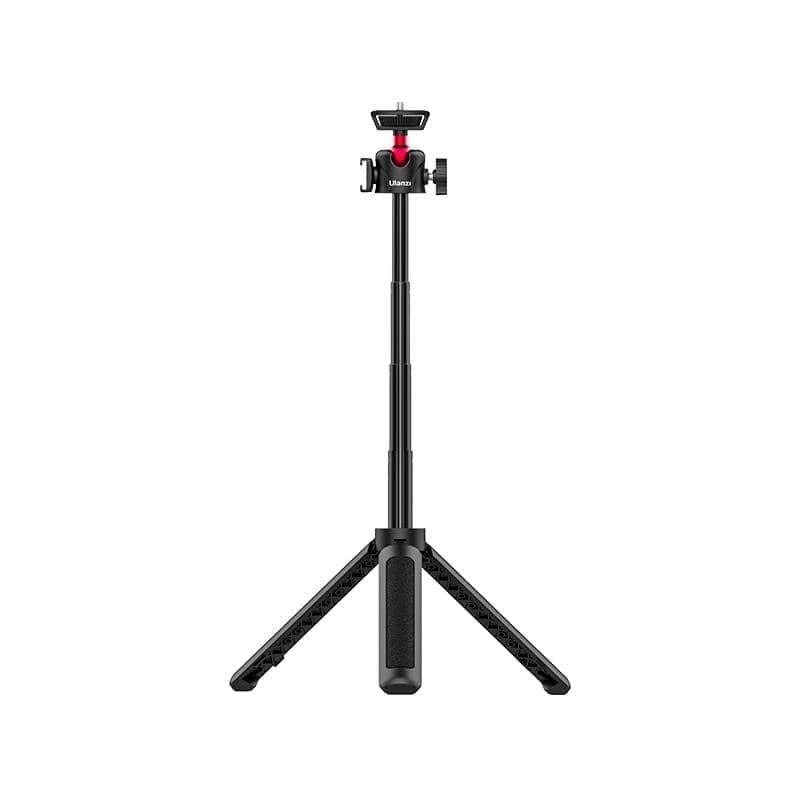
The Ulanzi MT-16 pocket tripod folds to about 22 cm, extends to 44 cm, and weighs 170 g according to Ulanzi. It can work as a tabletop stand for a fixed introduction, a grip for handheld walk-and-talk, or a small platform for a camera placed on a stable surface. Its top has a 1/4-inch thread and its side has a cold shoe, which can hold a small compatible accessory.
Treat it as pocket support, not a full-height travel tripod. The maker lists a 1.5 kg maximum load, but that rating does not make a narrow tabletop stand safe in wind or on a ledge. Keep it on a broad, steady surface and use the camera strap or a hand when the setup could tip. If you record mostly moving footage, you may leave even this piece behind.
Pocket support
MT-16
Best for: Creators who need a small support for low fixed shots or a handheld grip.
- Manufacturer lists a 170 g weight and 22 cm folded length
- 44 cm maximum extension is not full standing height
Check current price
Buy at UlanziProduct details
A small extendable tripod and handheld grip for compact cameras, phones, and action cameras. Its short reach suits tabletop or low-angle framing; it does not replace a full-height tripod.
- Weight
- 170 g
- Length
- 22 cm folded; extends to 44 cm
- Maximum load
- 1.5 kg, manufacturer stated
- Mounts
- 1/4-inch thread and side cold shoe
More strengths
- Can serve as a small tabletop stand or handheld grip
- Includes a 1/4-inch thread and side cold shoe
Other tradeoffs
- A light pocket stand can still tip on a narrow or windy surface
- The 1.5 kg stated load is not a stability guarantee for every camera setup
Use a light when you can control it
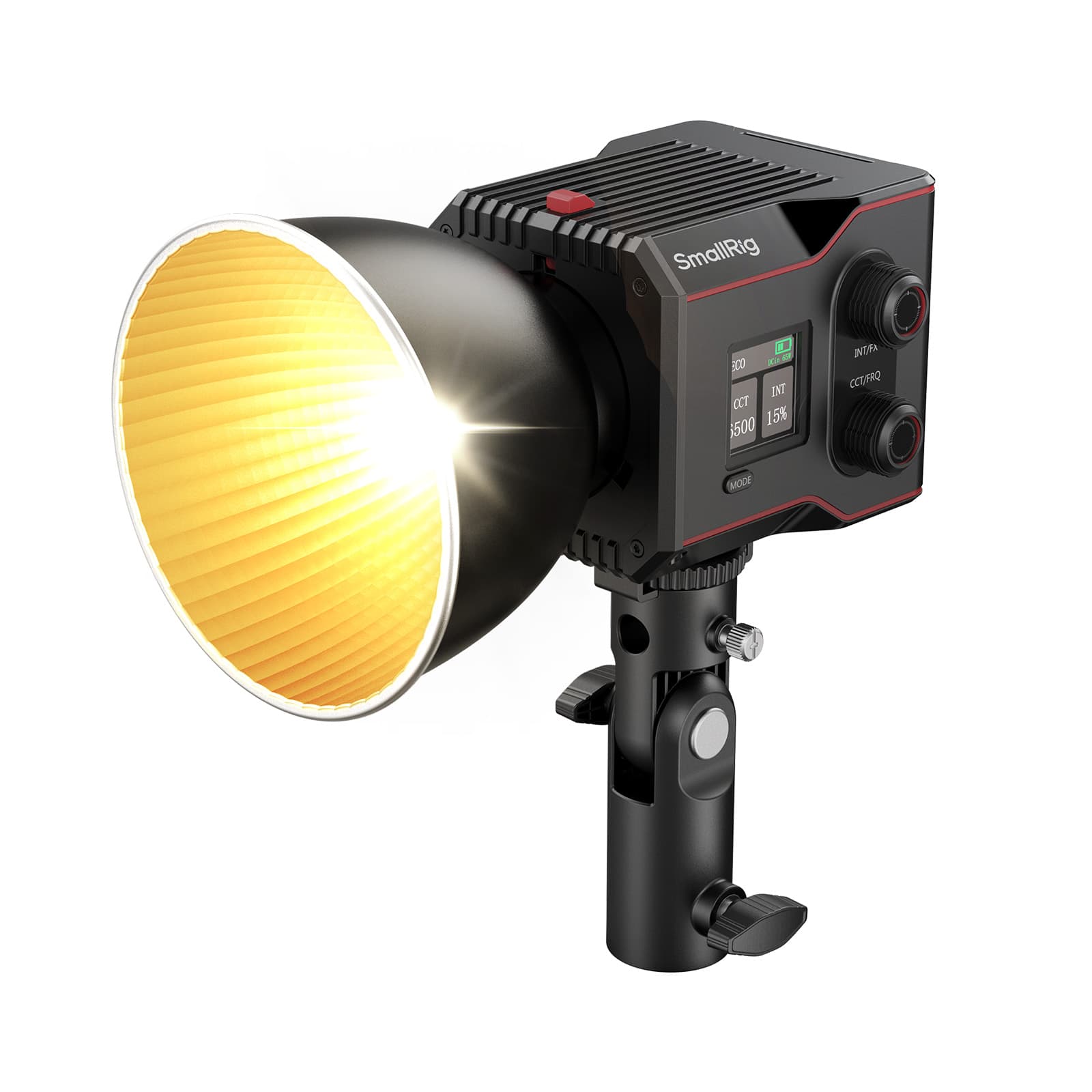
The SmallRig RC 60B COB light is for a dim hotel-room interview, a close-up, or a small product shot where you can place the light deliberately. SmallRig lists the light body at 650 g, with up to 45 minutes at full output and 75 minutes in ECO mode. It supports USB-C PD power and can operate while charging, but the maker specifies a 65 W or higher adapter or power bank for its charging setup.
Count the whole lighting kit, not just the lamp. The listed 4376B package weighs about 1.5 kg with accessories; a stand and any modifier add to that. The RC 60B uses SmallRig’s compact S-mount for its mini reflector and compatible modifiers. Bowens accessories require a separate adapter, so it is not a general Bowens mount out of the box. Check the exact package and modifier before packing. For a bright outdoor scene or a room with nowhere to place a stand, a light may be extra weight without much benefit.
Controlled portable light
RC 60B
Best for: Creators lighting a close interview or product shot in a controlled space.
- Built-in battery supports operation without a separate battery plate
- Manufacturer runtime is up to 45 minutes at full output
Check current price
Buy at SmallRigProduct details
A battery-powered bi-color COB light for close or controlled scenes. The lamp body is compact, but the modifier, stand, charging source, and full accessory package increase the travel load.
- Power
- Up to 63 W, manufacturer stated
- Body weight
- 650 g
- Color temperature
- 2700 K to 6500 K
- Battery runtime
- Up to 45 minutes at full output; 75 minutes in ECO mode
- Mount
- SmallRig S-mount; Bowens adapter sold separately
More strengths
- USB-C PD input supports use while charging
- Color temperature adjusts from 2700 K to 6500 K
Other tradeoffs
- The 4376B package is listed at about 1.5 kg before adding a stand
- Bowens modifiers require a separate adapter for its S-mount
Bring an external monitor only for a monitoring need
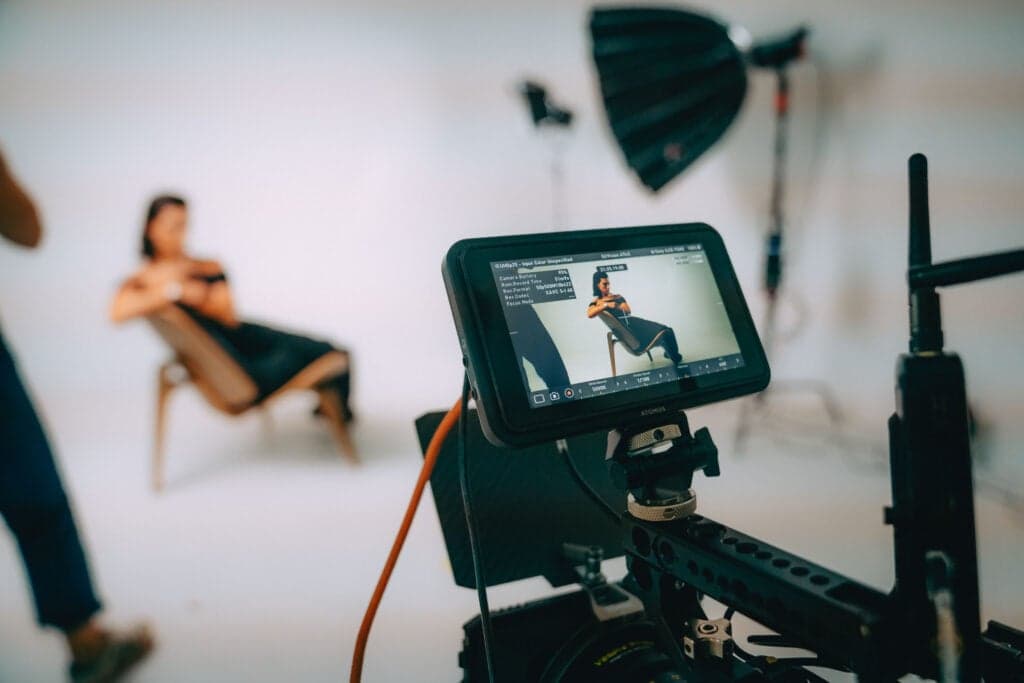
The Atomos Shinobi II adds a five-inch, 1500-nit touchscreen with exposure tools, focus aids, and framing guides. That can make it easier to check focus, exposure, and vertical versus horizontal framing when the camera’s built-in screen is small or awkwardly placed. Atomos lists a 210 g monitor body; the packed setup also needs a mount, HDMI cable, and power source.
The Shinobi II is a monitor, not a second recorder. Its HDMI input accepts up to 4K at 30 fps, and its camera-control and touch-focus functions depend on camera compatibility. Atomos lists NP-F batteries or USB-C PD as power options and says the monitor can supply up to 13 W to a compatible camera. Check your camera’s ports and compatibility list before assuming control or power will work. If you already frame accurately on the camera screen, skip the monitor and its extra cable and battery.
On-camera monitoring
Shinobi II
Best for: Creators who need a larger screen for focus, exposure, or framing checks on a compatible camera.
- Bright 1500-nit screen with exposure and focus aids
- A mount, HDMI cable, and battery or USB-C power add to the kit
Check current price
Buy at AtomosProduct details
An external camera monitor with focus, exposure, and framing tools. It displays a camera's HDMI feed rather than recording it; camera control and touch focus depend on supported camera models.
- Display
- 5-inch touchscreen, 1920 × 1080
- Brightness
- 1500 nits, manufacturer stated
- Video input
- HDMI 1.4, up to 4K at 30 fps
- Body weight
- 210 g, before battery and mount
- Power
- NP-F/L-series battery or USB-C PD
More strengths
- Frame guides include vertical and social formats
- USB-C PD or NP-F/L-series battery power options
Other tradeoffs
- Camera control and touch focus work only with supported cameras
- HDMI monitoring is limited to 4K at 30 fps
Keep power and media simple
Charge camera batteries before leaving, carry enough for the day, and keep used and charged batteries in separate marked pockets. Bring the camera’s charger or a USB-C power supply only if the camera supports that charging method. Use a card reader that matches your SD or microSD format, plus a cable that fits the laptop or tablet you will ingest on. A reader is more useful than an extra monitor if cards otherwise sit full until you return home.
For card transfers and SSD backups, check the cable’s data rate separately from its charging capacity. USB-IF’s cable marking guidance distinguishes 60 W and 240 W power logos from data-rate markings. A 240 W logo alone does not tell you how quickly files will copy; check the cable maker’s data-rate specifications, and make sure the reader, computer port, and drive support the same speed. USB 2.0 cables are an exception where a data-rate logo may be absent, so consult the published specs if there is no speed marking.
After each shoot, copy the complete card structure and phone clips to a destination you can check, then make a second verified copy before reusing the card. The travel photo and video backup guide explains a laptop-plus-SSD workflow and the two-copy handoff. Our rugged portable SSD guide helps with drive selection. Keep the copies apart; a project file or proxy is not a substitute for the camera originals.
Pack by priority
- Always: camera, planned lens, mic and wind protection, charged batteries, cards, reader, and the cables needed to transfer files.
- For a fixed piece to camera: pocket tripod, if you have a stable place to set it.
- For dim indoor scenes: the light, a compatible modifier, a stand, and a power plan. Include the stand in your weight estimate.
- For difficult framing or exposure checks: the monitor, its camera-compatible HDMI cable, mount, and NP-F battery or USB-C PD source.
- After filming: verify one copy, make the second, then store backup devices separately before reusing the card.
For the desk and connectivity side of a creator trip, see the portable workstation guide and cool travel tech guide. For cable and battery packing, use how to pack electronics in a carry-on and how to charge devices while traveling.
What is the minimum travel video kit for one creator?
Start with the camera and lens you know, a microphone with suitable wind protection, charged batteries, spare cards, and a reader. Add a small support only if you need locked-off shots. Make and verify two copies of the footage before reusing a card.
Is a pocket tripod enough for travel video?
It can hold a small camera for tabletop shots or work as a handgrip, but it does not replace a full-height tripod. Use it on a broad, stable surface and check that your camera and lens stay within the maker’s load guidance.
Do I need a COB light for travel video?
Only if you expect dim indoor scenes or close shots where you can control the light’s position. Include a compatible modifier, stand, and charging source in the packed weight. For outdoor run-and-gun footage, ambient light and a reflector-free setup may be more practical.
Does the Atomos Shinobi II record video?
No. It is an external monitor for a camera’s HDMI feed. Use it for tools such as focus aids, false color, waveforms, and framing guides, and check camera compatibility for touch focus or camera control.
Does a 240W USB-C cable guarantee fast SSD transfers?
No. The 240 W mark describes power capacity, not SSD data speed. Check the cable’s data-rate marking or manufacturer specifications separately. The reader, computer port, and SSD must also support the transfer rate you need. A USB 2.0 cable may have a power logo without a data-rate logo, so check its published specs if the speed is not marked.
Sources
Product details are from current manufacturer pages and manuals. We have not hands-on tested the listed gear; confirm camera compatibility and the exact included accessories before travel.
Keep going
Our recommendations draw on manufacturer documentation, retailer listings, owner feedback, and comparisons with alternatives.
As an Amazon Associate I earn from qualifying purchases. We may earn a commission from links here, at no extra cost to you. How we research →