
A second screen that packs into a glasses case. Espresso without a kettle. A movie night on the wall of a cabin. Travel tech gets interesting when it lets you do something your phone cannot do on its own. These eight gadgets cover work, entertainment, coffee, and the small frustrations that come with taking your electronics somewhere new.
Jump to a pick
- AR display glasses
- Travel router
- Portable projector
- Portable espresso maker
- Portable monitor
- Pocket reader
- Wireless audio adapter
- How to choose
- FAQ
VITURE Luma Ultra and XREAL 1S: a screen in your glasses
AR display glasses plug into a compatible device and place a virtual screen in front of the wearer. Some software can anchor that screen or arrange more than one display. That makes them a promising alternative to packing a monitor, but the experience depends on the laptop, software, fit, vision correction, and how long the glasses stay comfortable. They are display accessories, so the laptop or phone still runs the apps.
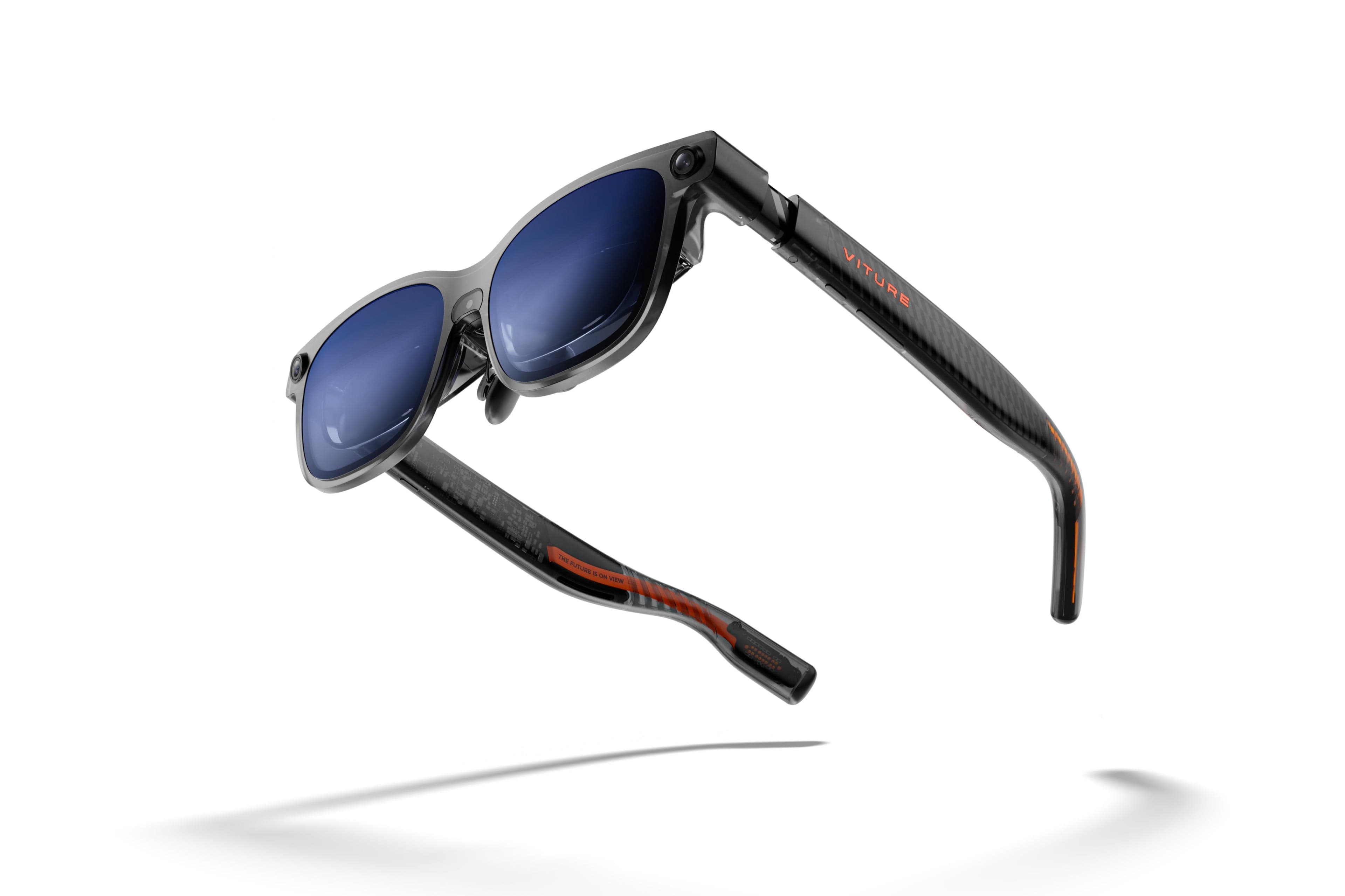
The VITURE Luma Ultra is the more ambitious work setup here. VITURE’s SpaceWalker desktop software supports virtual display layouts, and its documentation distinguishes the Luma Ultra’s six-degrees-of-freedom tracking, which responds to changes in head position as well as rotation, from the rotation-only tracking on its other glasses. The catch is compatibility: the software has specific host requirements, and VITURE says Luma Ultra is not supported on Intel Macs under the documented versions. Check the current compatibility list before buying. VITURE’s SpaceWalker desktop guide explains the software and supported computers.
Virtual work screens
Luma Ultra
Best for: Travelers considering a compact virtual workspace who can verify host support and try the fit first.
- SpaceWalker offers virtual desktop layouts
- VITURE's documented SpaceWalker setup does not support Intel Macs
Check current price
Buy at VITUREProduct details
Display glasses designed to pair with compatible phones, computers, and VITURE's SpaceWalker software. Host support and fit determine whether the virtual display suits a work session.
- Display
- Micro-OLED; 1200p per eye
- Field of view
- 52°
- Tracking
- 6DoF with supported setup
More strengths
- Six-degree tracking can anchor the view as your head moves
- Small glasses case takes less flat bag space than a monitor
Other tradeoffs
- Fit, prescription, and text clarity vary by wearer
- Desktop layouts depend on compatible host software
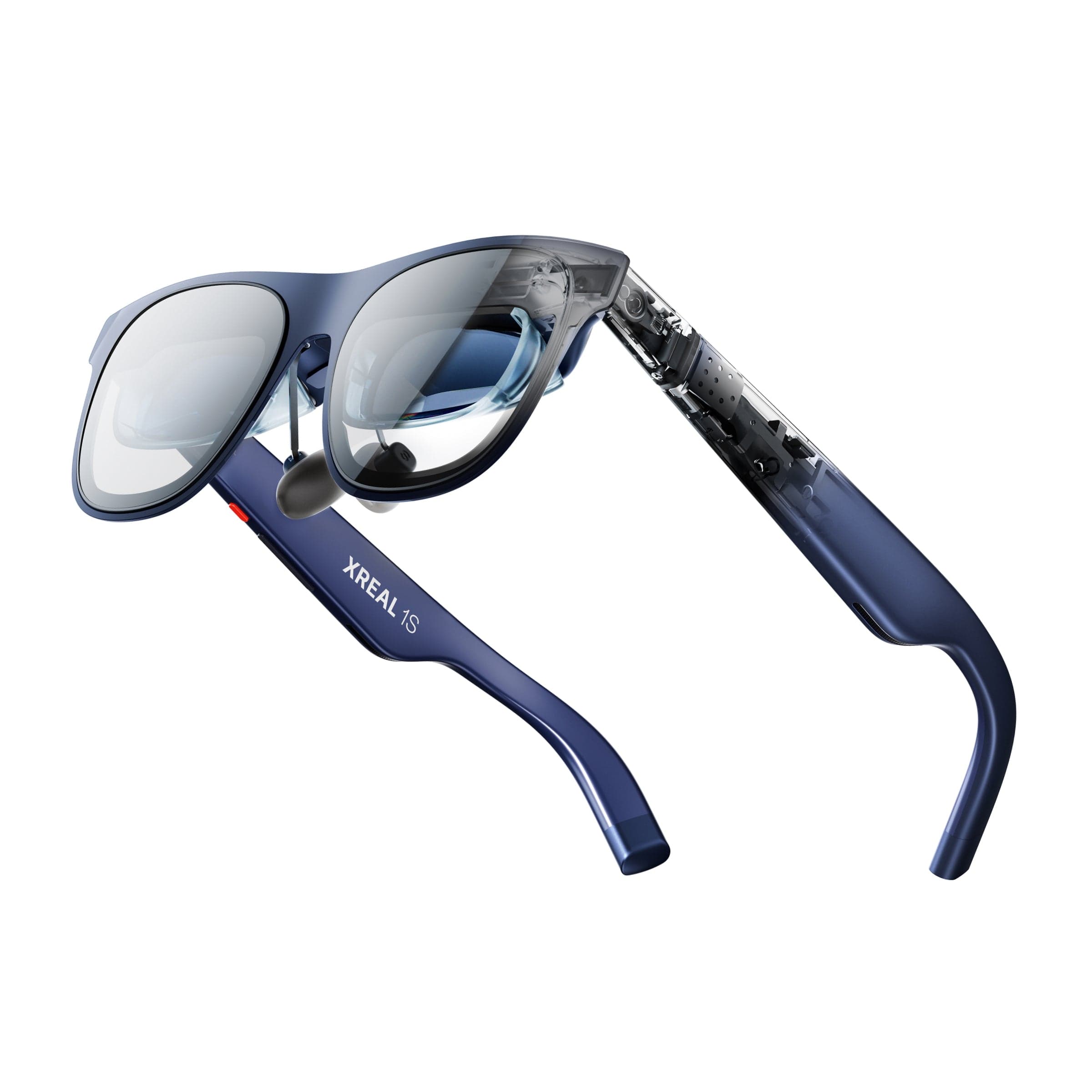
The XREAL 1S is another route to a large private display. XREAL lists a 52-degree field of view and 1200-pixel vertical resolution. That makes the 1S an interesting option for a private movie screen on a flight as well as laptop work. For productivity, try small text and the edges of the image before committing to long sessions. See the 1S specifications for its display details.
Private widescreen viewing
1S
Best for: Travelers who want a compact private display for compatible phones or computers.
- 52-degree field of view and 1200-pixel vertical resolution
- Small-text clarity depends on fit and eye position
Check current price
Buy at XREALProduct details
A wearable display for compatible devices. XREAL lists a 52-degree field of view and 1200-pixel vertical resolution; those figures do not guarantee edge-to-edge text clarity or compatibility with every computer.
- Vertical resolution
- 1200 pixels
- Field of view
- 52°
- Display
- Micro-OLED
More strengths
- Compact private display for compatible devices
- Small case takes less flat bag space than a monitor
Other tradeoffs
- Computer display modes can require additional software or adapters
- A single wearer view is harder to share than a physical monitor
Compare the tradeoffs in AR glasses vs. a portable monitor and our portable workstation for travel. The key question is whether you can read and position the screen comfortably for your work.
GL.iNet Slate 7: a familiar network in a new room
The GL.iNet Slate 7 is a small Wi-Fi 7 router built for travel. It can turn an existing connection into a private network for your devices, so your laptop, tablet, and streaming device can join the same familiar network in each room. Hotel network rules and captive portals still apply. It needs an existing internet connection; it is not a cellular hotspot and cannot create bandwidth the hotel does not provide.
GL.iNet documents repeater setup and the router’s operating modes in its Slate 7 user guide. The practical question is whether its setup is easier than reconnecting each device to hotel Wi-Fi, especially when the network uses a captive portal. Travelers who mostly use a phone hotspot may not need it.
Your own travel network
Slate 7
Best for: Travelers who regularly connect several devices to hotel or other shared Wi-Fi.
- Lets several devices reuse one hotel Wi-Fi sign-in
- Repeater setup still depends on the hotel's captive portal
Check current price
Buy at GL.iNetProduct details
A travel router that can share an existing wired or Wi-Fi connection with your devices. It does not provide cellular service on its own, and hotel sign-in rules and the upstream connection still apply.
- Wi-Fi
- Wi-Fi 7, dual band
- Model
- GL-BE3600
- Network source
- Existing Wi-Fi or wired internet
More strengths
- Repeater mode can share a hotel connection across your own network
- Wi-Fi 7 support for compatible devices
Other tradeoffs
- It needs an existing internet connection and does not provide cellular data
- Adds a router and power cable to the travel kit
XGIMI MoGo 4: movie night at the cabin
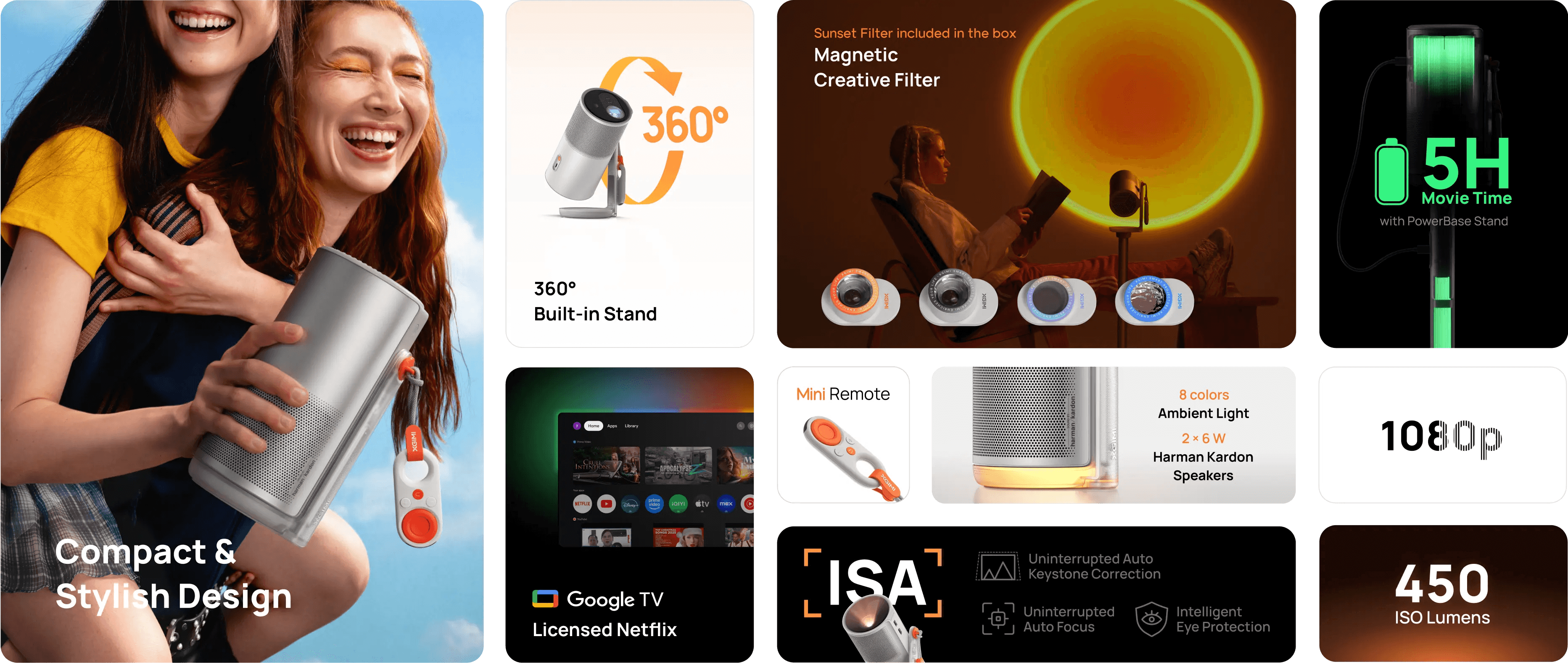
The XGIMI MoGo 4 combines a 1080p projector, Google TV, and a built-in battery. It suits a rental house or cabin where a group can watch together, without needing an outlet beside it. XGIMI’s advertised maximum runtime applies in Eco mode; ambient light, volume, and streaming apps can change the evening.
A blank wall and dim lights matter more than maximum screen size. It is a poor substitute for a bright television in a sunlit room. Check XGIMI’s MoGo 4 product details for current modes and streaming information.
Movie night away
MoGo 4
Best for: Travelers who want a shared movie setup in a dim rental or cabin.
- Built-in battery supports placement away from an outlet
- The built-in battery's advertised maximum runtime is for Eco mode
Check current price
Buy at XGIMIProduct details
A battery-powered 1080p projector with Google TV for a dim room, rental, or cabin. XGIMI's maximum runtime is specified in Eco mode; brightness, volume, and apps affect use time.
- Resolution
- 1080p
- Streaming
- Google TV
- Power
- Built-in battery
More strengths
- Google TV is built in
- Its 1080p picture can serve a group on a blank wall
Other tradeoffs
- Ambient light washes out the picture
- A clear wall and dim room matter more than advertised screen size
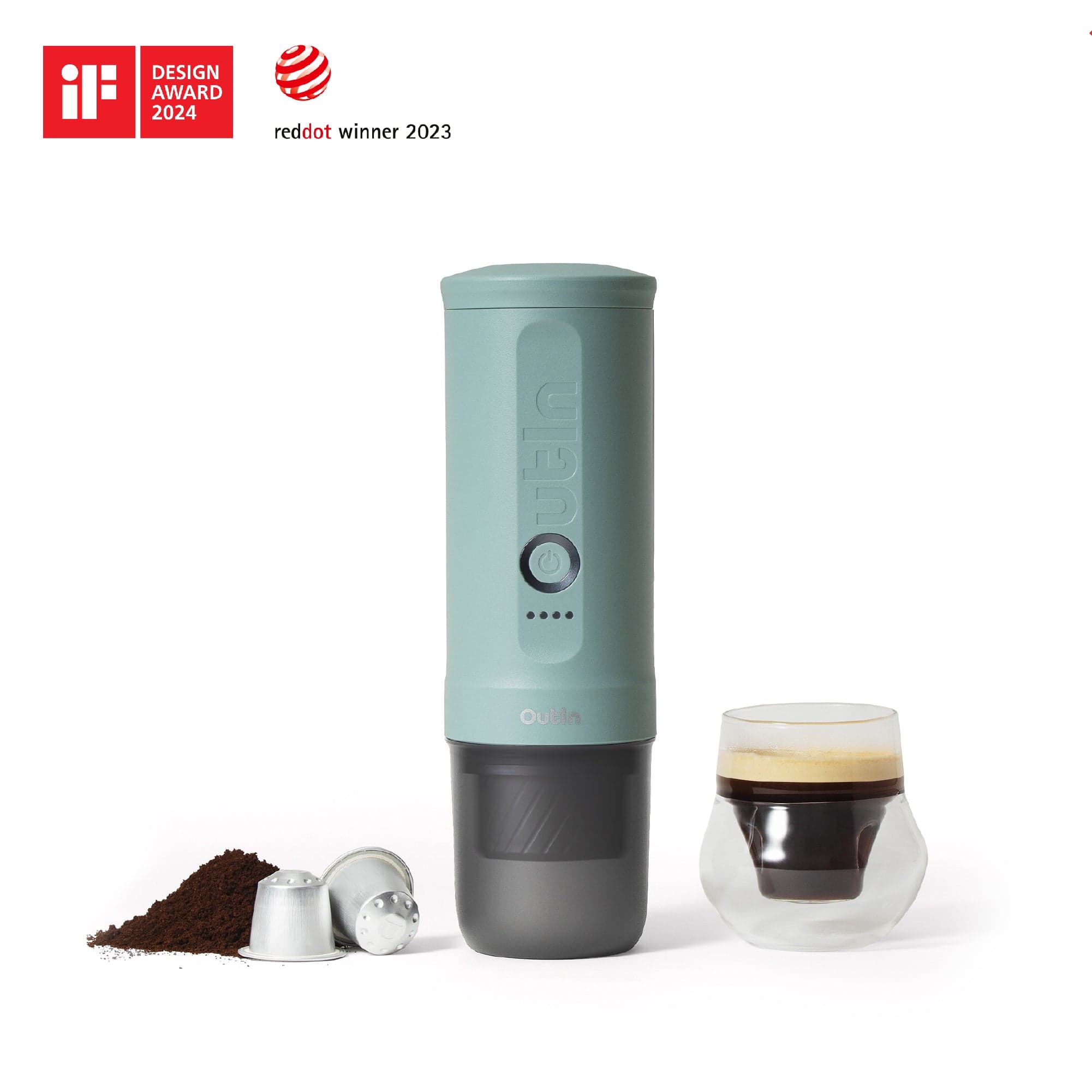
OutIn Nano 2: espresso without a kettle
The OutIn Nano 2 is a self-heating portable espresso maker, so it does not depend on a hotel kettle. It still needs charging, cleaning, and coffee. Count the cup and grounds or capsules when comparing its packed size with a manual brewer.
OutIn’s Nano 2 listing describes its heating, charging, and capacity features. The appeal is a hot espresso at a picnic stop or in a room without a kettle. If you already carry a kettle, a manual brewer gives you another way to make coffee without charging a machine. Our guide to travel coffee makers compares simpler ways to make a cup on the road.
Espresso without a kettle
Nano 2
Best for: Travelers who want espresso where hot water is not reliably available.
- Heats water as well as extracting espresso
- Requires charging, water, coffee, and post-brew cleaning
Check current price
Buy at OutInProduct details
A rechargeable espresso maker that heats water for brewing away from a kettle. Pack coffee, a cup, and cleaning supplies, and check the maker's instructions for supported charging and capsule formats.
- Brewing
- Self-heating portable espresso
- Power
- Rechargeable battery
- Coffee
- Ground coffee or compatible capsules
More strengths
- Works where a kettle is unavailable
- Accepts coffee grounds or compatible capsules
Other tradeoffs
- Heating water adds time compared with brewing from a kettle
- A manual brewer is lighter if you already have hot water
espresso Pro 15: a second screen that packs flat
The espresso Pro 15 is the straightforward comparison for AR glasses: a portable 15-inch physical display. espresso lists a 4K touch panel and includes its Stand+ with the Pro 15. A separate monitor avoids wearing glasses and gives you a conventional view of the whole screen, but it takes up more space and needs a suitable surface, a cable, and power. It may still be the easier option for detailed design work or long sessions.
The product page describes the Pro 15 display and included stand. Check current laptop compatibility and the complete packed weight, including the stand and cables, before choosing it as a travel screen. The right comparison is the entire working setup, not panel resolution alone.
A physical second screen
Pro 15
Best for: Travelers who need a physical second screen for documents, timelines, or shared work.
- 4K touchscreen provides a high-resolution physical workspace
- 15-inch panel, stand, and cables take flat bag space
Check current price
Buy at espressoProduct details
A conventional portable touchscreen monitor with a 4K panel. It provides a separate physical display, but takes more flat bag space than glasses and still needs a stable surface and host connection.
- Size
- 15-inch class
- Resolution
- 4K
- Touch
- Touchscreen
- Stand
- Stand+ included per product page
More strengths
- Stand+ is included
- Fixed screen position can be easier for spreadsheets and reference material
Other tradeoffs
- Touch functions depend on the connected computer and software
- Needs a compatible video connection and enough host power
BOOX Palma 2 Pro: a pocket reading device
The BOOX Palma 2 Pro is a 6.13-inch color e-paper Android device with stylus support and data-only SIM functionality, according to BOOX. It sits between an e-reader and a small Android device: more focused on reading than a typical phone, but still able to run apps. That flexibility comes with the usual e-paper limits. Color and motion do not look like a phone screen, and app behavior varies.
It is worth considering if you read for long stretches and want a separate device for books, documents, or notes. It is harder to justify if your phone already handles occasional reading well. BOOX’s Palma 2 Pro page has the current display, SIM, and stylus details.
A dedicated pocket reader
Palma 2 Pro
Best for: Readers who want a pocketable e-paper device with Android apps and note input.
- Pocketable 6.13-inch format
- Color e-paper is less vivid than a conventional tablet display
Check current price
Buy at BOOXProduct details
A pocket-sized Android e-paper device for reading and light note-taking. App behavior and color e-paper tradeoffs differ from a phone or tablet; the cellular feature is data-only and does not make it a full phone replacement.
- Display
- 6.13-inch color e-paper
- Operating system
- Android
- Connectivity
- Data-only SIM support
- Input
- Stylus support
More strengths
- Android apps allow more than one reading service
- Stylus support and data-only SIM add options beyond a basic e-reader
Other tradeoffs
- Android app layout and refresh behavior can vary
- The SIM feature supplies data, not voice calling
AirFly Pro 2: wireless headphones on a wired seatback
The Twelve South AirFly Pro 2 plugs into a wired audio jack and sends the sound to Bluetooth headphones. That makes it useful with an airplane seatback screen or other audio source that lacks Bluetooth. Twelve South says it can connect two sets of headphones, so two people can listen to the same source. The device does not make every seatback system or headphone combination work perfectly; pairing and latency depend on the equipment.
This is the easiest pick to understand because it solves one specific annoyance. If you only watch on your own phone or tablet, you can skip the adapter. See Twelve South’s AirFly Pro 2 details for its pairing and connection guidance, and our guide to choosing noise-canceling headphones for travel for the headphones themselves.
Wireless seatback audio
AirFly Pro 2
Best for: Travelers who want to use Bluetooth headphones with a wired seatback screen or audio output.
- Lets compatible Bluetooth headphones connect to a wired audio output
- Needs a compatible 3.5 mm audio output
Check current price
Buy at Twelve SouthProduct details
A small Bluetooth transmitter and receiver for wired audio connections such as seatback entertainment. Check the source's jack and pairing behavior before relying on it; it does not make every audio source wireless.
- Connection
- Bluetooth headphones to a wired 3.5 mm audio source
- Pairing
- Up to two headphone sets
- Charging
- USB-C
More strengths
- Supports two headphone pairings according to Twelve South
- Compact travel accessory
Other tradeoffs
- Pairing and latency depend on the source and headphones
- The receiving audio system must support Bluetooth pairing
Which travel tech earns the space?
| Use case | Consider | Main tradeoff |
|---|---|---|
| Laptop work in a small room | VITURE Luma Ultra or XREAL 1S | Host support, fit, and comfort determine whether the virtual display helps |
| Hotel Wi-Fi across several devices | GL.iNet Slate 7 | Adds setup and needs an existing internet connection |
| A movie with a group | XGIMI MoGo 4 | Best when the room is dim and you have a suitable wall |
| Espresso without a kettle | OutIn Nano 2 | Heating and cleanup add bulk beyond the machine itself |
| Detailed work on a separate screen | espresso Pro 15 | More physical space and cables than glasses |
| Reading away from a phone | BOOX Palma 2 Pro | Best for frequent readers who want a dedicated device |
| Seatback audio with Bluetooth headphones | Twelve South AirFly Pro 2 | Only useful when the source has a headphone jack |
The easiest way to keep this list from turning into a bag of gadgets is to start with the trip. For remote work, compare glasses with a physical screen and pack only the setup that matches your laptop and work. For leisure, one shared entertainment device may be enough. For the rest, our guides to charging devices while traveling and packing electronics in a carry-on can help sort the kit you already own.
FAQ
Can AR glasses replace a laptop monitor for travel?
They can provide a large private display, but they do not replace the laptop that runs the work. Check that your computer and operating system support the glasses’ software, then consider fit, text clarity, and comfort for your typical session. A portable monitor is easier to view without wearing anything, though it occupies more bag space.
Will a travel router make hotel Wi-Fi faster?
Not by itself. A router can create a private network from an existing connection and make it easier to connect your own devices, but it cannot add bandwidth to a slow hotel connection. It also needs power and may require a captive-portal login.
Is a portable projector practical for a hotel room?
It can work when you have a dim room, a suitable wall, and room to position it. Bright ambient light washes out the image, and you may need to confirm streaming access before the trip. A projector is more useful in a rental or cabin than in a typical compact hotel room.
What should I compare before buying a travel monitor or AR glasses?
Compare the complete setup: laptop support, cables, charging, stands or accessories, and packed size. For glasses, add fit, vision correction, and whether the software can position screens the way you work. For a monitor, check that the display can sit at a comfortable height on the surfaces you expect to use.
Which travel gadget should I buy first?
Solve a problem from your last trip. AirFly Pro 2 makes sense if you wanted to use your Bluetooth headphones with a seatback screen. A travel router is more useful if you repeatedly connect several devices to hotel Wi-Fi. A second display is a bigger commitment, so start by checking your laptop and the space where you usually work.
Sources
This guide compares published specifications and setup documentation. We have not hands-on tested these products. Sources checked October 28, 2026.
- VITURE SpaceWalker desktop requirements
- XREAL 1S specifications
- GL.iNet Slate 7 user guide
- XGIMI MoGo 4
- OutIn Nano 2
- espresso Pro 15
- BOOX Palma 2 Pro
- Twelve South AirFly Pro 2
Product imagery: respective manufacturers.
Keep going
Related buying guideBest travel coffee makers: AeroPress, pour-over, and espresso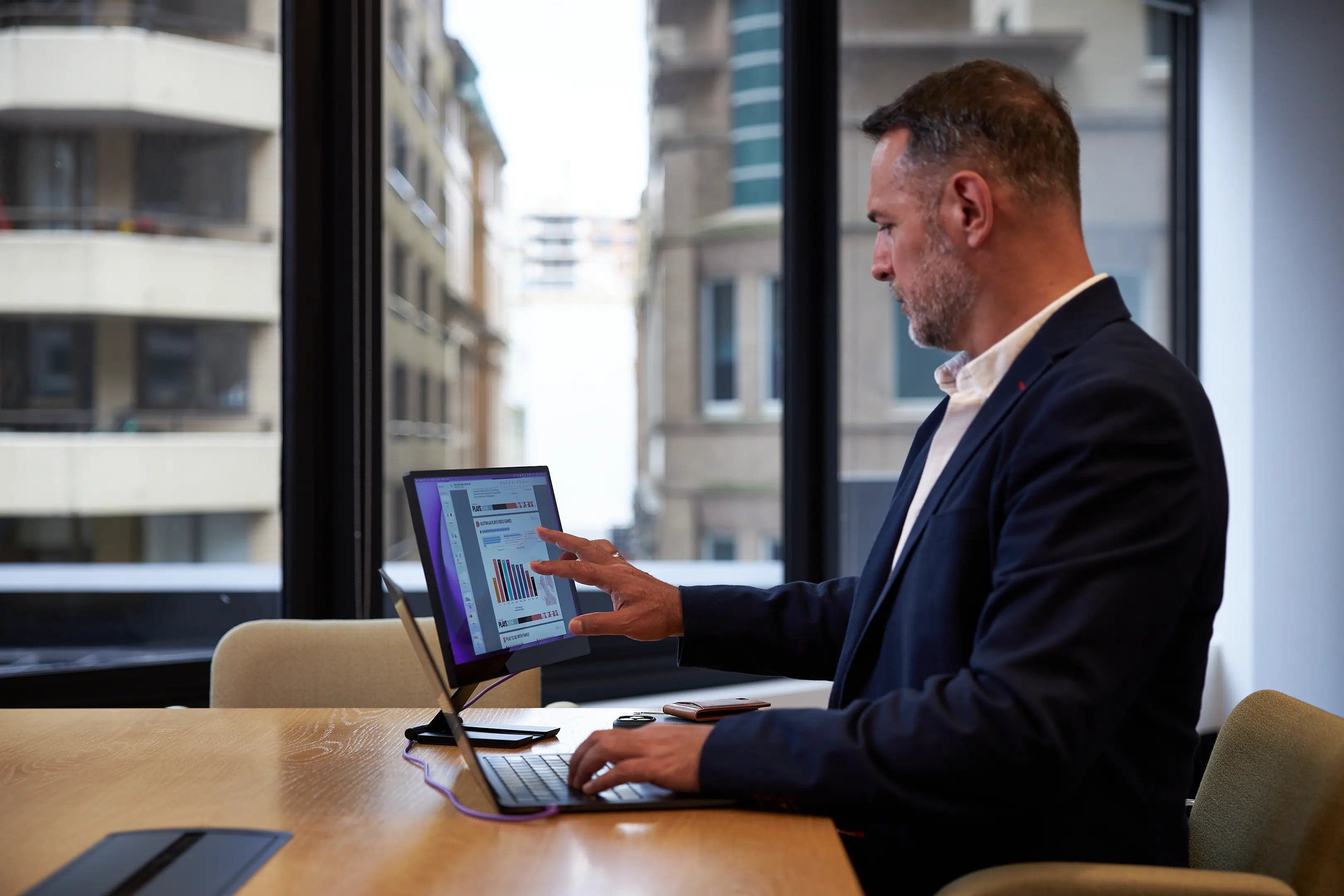
Our recommendations draw on manufacturer documentation, retailer listings, owner feedback, and comparisons with alternatives.
As an Amazon Associate I earn from qualifying purchases. We may earn a commission from links here, at no extra cost to you. How we research →