We may earn a commission from links on this page, at no extra cost to you.
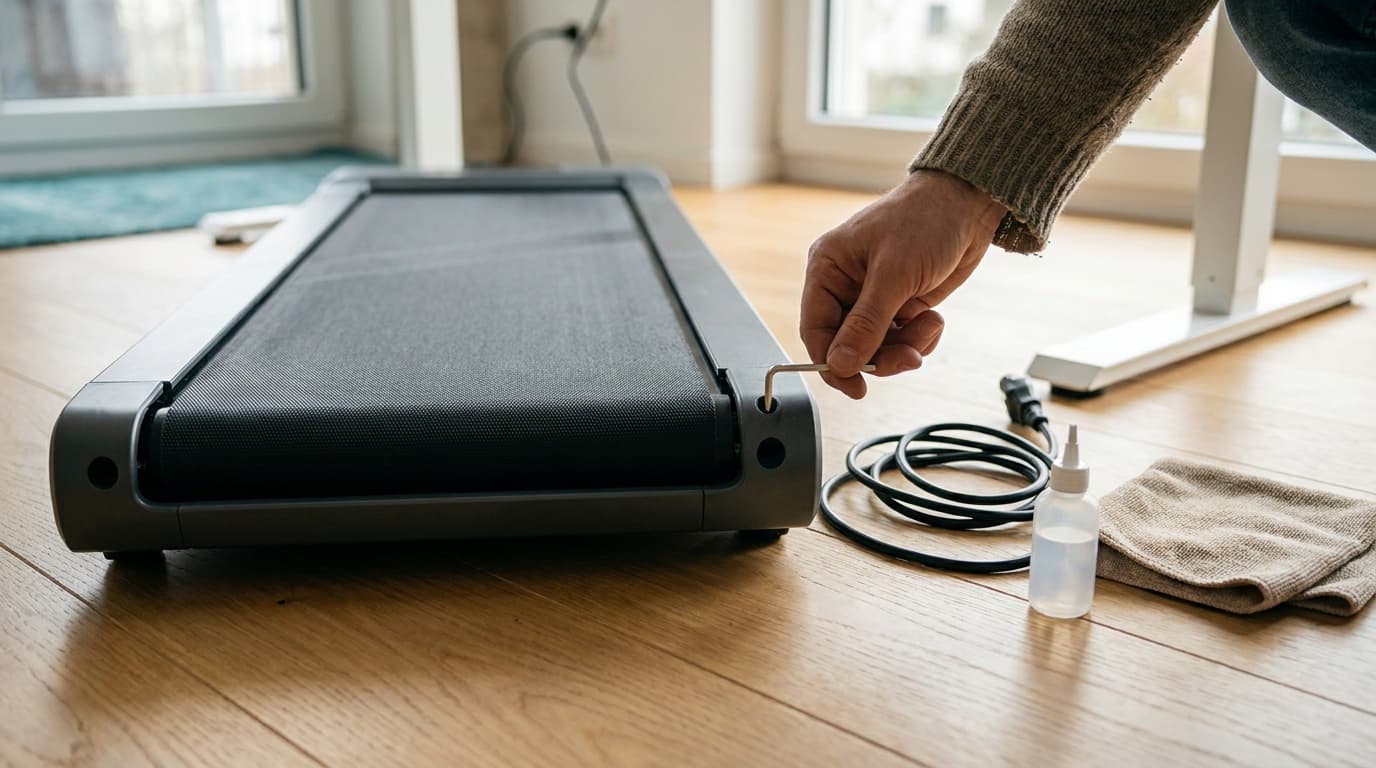
Most walking pad problems are fixed with the hex key that came in the box. To center a drifting belt, unplug the pad and tighten the rear bolt on the side the belt has drifted toward. To stop a slipping belt, tighten both rear bolts by the same amount. Then keep the deck lubricated with silicone oil on your maker's schedule. UREVO's Strol 2E manual uses quarter turns to center the belt and half turns to fix slipping. WalkingPad's C2 manual uses half turns for both. Error codes differ by brand, so look up the exact code in your own manual before you open a cover.
Safety first: before you touch the belt
Every fix below starts the same way. Walking pads have exposed rollers at both ends, and the belt can pull in fingers, hair, and cloth faster than you can react.
- Unplug the pad, not just switch it off. UREVO's safety instructions say to unplug before cleaning or servicing. WalkingPad's say to unplug before putting on or taking off parts.
- Pull the safety key if your model has one. UREVO ships a clip-on safety key with the Strol 2E, and a missing key is its E10 error.
- Use the tool that came with it. UREVO includes an M5 hex tool and warns you to use the supplied tool. Keep your fingers clear of the roller while you turn it.
- Do test runs empty and slow. The only time the manuals put you on the belt during an adjustment is UREVO's slip check, which is 1 to 2 minutes of walking under 1.0 mph.
- Power it properly. UREVO says to use the cord supplied with the pad and a properly grounded outlet. MERACH's maintenance guide recommends a dedicated circuit and a surge protector, and says not to use extension cords.
Find your problem fast
| What you notice | Most likely cause | First fix |
|---|---|---|
| Belt creeps toward one side rail | Uneven tension or an uneven floor | Center the belt |
| Belt hesitates or stutters under each step | Belt too loose or too much oil | Tighten both bolts evenly |
| Squeak, rubbing, or a new loud hum | Dry deck or belt rubbing the frame | Lubricate, then center |
| Burning or hot electrical smell | Dry deck, debris in the motor area, or motor trouble | Stop and work through the smell checklist |
| Display shows a code such as E01 or E10 | Brand-specific fault | Look up the code |
| Remote does nothing | Dead battery, wrong mode, or lost pairing | Remote fixes |
| Pad stops mid-walk | Safety key or magnet, sleep mode, or an overload code | Codes and overheating |
Belt drifting off-center: how to center it
A belt that drifts is not broken. It means the tension is slightly uneven, the floor is not level, or you tend to walk closer to one side. WalkingPad's C2 manual prohibits use on uneven ground, so check that the pad sits flat on a hard floor first. Then use this rule, which is the same in all three makers' instructions: tighten the bolt on the side the belt has moved toward. The adjustment bolts sit at the rear of the pad, in the end caps beside the rear roller.
Center a drifting belt
Unplug and look
Unplug the pad. Note which side rail the belt is closer to and roughly how far it has moved.
Small turn on that side
Insert the supplied hex key into the rear bolt on the side the belt has drifted toward and turn it clockwise. UREVO's Strol 2E manual says 1/4 turn; WalkingPad's C2 manual says a half turn.
Run it empty
Plug in and run the pad with no one on it. WalkingPad says 3 to 4 km/h (about 2 to 2.5 mph) for 1 to 2 minutes; UREVO says 1 to 2 minutes.
Check and repeat
If the belt is still off center, unplug and repeat with another small turn. UREVO says to repeat until the belt is centered.
Stop at centered
Once the belt runs down the middle, leave it. Chasing a perfect millimeter is how belts end up overtightened.
| Maker's instructions | Belt drifts left | Belt drifts right | Then |
|---|---|---|---|
| UREVO Strol 2E manual | Left bolt clockwise, 1/4 turn | Right bolt clockwise, 1/4 turn | Run 1 to 2 minutes; repeat until centered |
| WalkingPad C2 manual | Left screw clockwise, half turn | Right screw clockwise, half turn | Run at 3 to 4 km/h for 1 to 2 minutes; recheck |
| MERACH maintenance guide | Tighten left rear bolt a quarter turn | Tighten right rear bolt a quarter turn | Run empty at 3 mph and watch the belt |
A belt that drifts again right after lubrication usually has uneven tension from loosening the bolts for oiling. WalkingPad's lubrication article also reminds you to center the belt again after you put the machine back down.
Belt slipping or hesitating under your feet
Slipping feels like a brief catch or stutter each time your foot lands, as if the belt paused for a split second. It has two common causes: the belt is too loose, or there is too much oil on the deck. Both the UREVO and WalkingPad manuals warn that too much lubricant makes the belt slip, so if you just oiled it, wipe off any excess you can reach and walk it in before you touch the bolts.
To tighten a loose belt, turn both rear bolts clockwise by the same amount. UREVO's Strol 2E manual says a half turn each (its troubleshooting table says a quarter turn, so start with a quarter). WalkingPad's C2 manual says a half turn on both at the same time. UREVO then has you walk for 1 to 2 minutes under 1.0 mph and repeat until the belt stops slipping.
Two limits keep this from turning into a bigger problem:
- Do not overtighten. UREVO's manual warns that a belt adjusted too tightly will be damaged, and it lists an overtightened belt as one cause of its E04 overcurrent code. A tight belt makes the motor work harder all the time.
- Use the lift test as a sanity check. UREVO's and MERACH's maintenance guides both say the belt should lift about 2 to 3 inches at the center of the deck. Much more than that is loose; much less is tight.
If the belt still slips with correct tension and a normal amount of oil, the problem may be inside. UREVO's FAQ says to check whether the motor belt, the small drive belt under the motor cover, has slipped or come off, and to contact support if it has.
When and how to lubricate
The deck under the belt needs a thin film of silicone to cut friction. Without it the belt drags, the motor strains, and the pad gets louder and hotter. The makers disagree on amounts and timing, so follow your own manual first. Here is what each source says.
| Source | Lubricant | Amount | How often |
|---|---|---|---|
| UREVO Strol 2E manual | The lubricating oil in the box (two bottles are included) | 5 to 10 mL per session | Every 125 miles; UREVO recommends lubricating before first use |
| WalkingPad C2 manual | Silicone oil | 5 to 10 mL per session | Once every 3 months |
| WalkingPad lubrication article (2020) | Silicone oil | "1 or 2 drops" | Every 3 months |
| MERACH maintenance guide | 100% silicone treadmill lubricant | Not stated | Every 3 to 6 months or every 150 to 200 hours |
If your walks add up to about 2 miles a day, UREVO's 125-mile interval works out to roughly every two months. UREVO's and MERACH's care guides both rule out WD-40 and household oils; UREVO notes they contain solvents that can damage the belt and motor.
Lubricate a walking pad deck (UREVO Strol 2E method)
Unplug
Power off and unplug the cord.
Loosen and count
Turn both rear bolts counterclockwise until the belt lifts easily. Count the turns on each side so you can put the tension back exactly.
Oil the center
Lift the belt edges and apply the oil along the center of the deck. UREVO says 5 to 10 mL total.
Restore tension
Turn both bolts clockwise by the same number of turns you counted.
Spread it
Plug in and walk slowly for a few minutes so the oil spreads across the whole deck, then check that the belt is centered.
WalkingPad's C2 method is slightly different. You lift the belt and apply the oil to the underside of the belt instead of the deck, then run the machine under 4 km/h (2.5 mph) for 10 to 20 seconds.
Noise, squeaks, and a burning smell
Some noise is normal on any motorized pad. New noise usually has a cause you can fix.
- Rubbing or friction noise. UREVO's troubleshooting table traces this to a belt running off center. Center it first.
- A louder hum or general noise. UREVO's Strol 2E support page says to add oil under the belt and run the pad for 15 minutes with no one on it.
- Belt shaking. UREVO's FAQ says to lubricate and see if it improves, and to contact after-sales support if it does not.
- A soft surface underneath. WalkingPad's C2 manual forbids setting the pad on a thick, soft cushion, and a soft rug can also block airflow. A flat, hard floor is the right base.
A burning smell is a stop sign. Turn the pad off and unplug it. UREVO's FAQ gives this order: apply lubricating oil, then check the motor head, the small drive belt, and the fan for anything that got sucked in. If everything looks normal and the smell comes back, UREVO says the motor may need replacing. That is a warranty call, not a home repair.
Two things that look like problems but are not: UREVO's manual says a little black powder under the pad after long use is normal, and WalkingPad's C2 manual says dust and stains on the rear of the deck are normal and only need wiping off. Always unplug before you clean.
Error codes for the pads Kit recommends
A code on the display means the pad has stopped itself to protect the motor or the electronics. UREVO's manual says to stop your workout as soon as a code appears and to contact support if the code returns after a restart. The same code number can mean different things on different brands, so only use the table for your own pad.
UREVO (Strol 2E manual and UREVO FAQ)
UREVO's printed quick guide for the Strol 2E Pro points you to the UREVO app for the full manual. The closest full manual UREVO publishes is the Strol 2E manual, and its code table is below. UREVO's brand-wide FAQ also lists codes for other models.
| Code | UREVO's description | UREVO's fix |
|---|---|---|
| E01 | Communication lost between the controller and the display | Unplug, open the motor hood, and check the controller-to-display connection; contact support if it persists |
| E02 | Motor open circuit | Check the motor terminal connections; contact support if not solved |
| E03 | "Flame protection," a power supply interruption at a connector | Check the controller-to-motor connection and loose connectors; contact support if not solved |
| E04 | Overcurrent protection | Check for a user over 120 kg, objects blocking the motor or rollers, or an overtight or dry belt |
| E05 | Communication lost between the signal cable and the console | Check console connections and wires; the console board may need replacing |
| E10 | Safety key missing | Attach the safety key under the console |
| E0, E7, E10 (FAQ) | Safety lock magnet | Reinstall the safety magnet and adjust its position |
| E1, E02, E04, E5, E6, E8, U01, E11, E12, E13 (FAQ) | Wiring fault | UREVO says to open the motor cover and check that the wire control is installed correctly, then contact support |
| E (standby) | Not an error | UREVO says "E" is the standby symbol; keep using the pad |
The UREVO Smart Walking Pad Kit recommends is sold under a descriptive Amazon name, and we could not match it to a named manual on UREVO's manual page. Use the code list in the manual that came in your box, and the FAQ codes above as a fallback.
WalkingPad C2 (C2 manual)
When a fault occurs, the C2's error warning light turns on and the display shows the code. This list comes from the C2 manual WalkingPad hosts on its UK site (model WPS1F). If the label under your pad shows a different model number, check the printed manual in your box.
| Code | WalkingPad's description |
|---|---|
| E01 | Software overcurrent |
| E02 | Hardware overcurrent |
| E03 | IPM module overheating |
| E04 | Undervoltage protection |
| E05 | Overvoltage protection |
| E06 | Motor phase loss protection |
| E07 | Motor locked-rotor protection |
| E09 | Motor unable to start |
| E12 | Motor overcurrent protection |
| E13 | Overload protection |
| E14 | Hall signal missing |
| E15 | Communication fault |
| E16 | Module connection error |
The C2 manual lists the codes but not the fixes. For the overcurrent and overload codes (E01, E02, E12, E13), the first checks are the ones from earlier in this guide: a dry deck, an overtight belt, and staying within the 220 lb limit. For voltage codes (E04, E05), plug the pad straight into a wall outlet. For motor and communication codes, contact WalkingPad support.
MERACH W50
MERACH does not post a W50 manual or error code list on its website (its manual and assembly guide pages did not include walking pads when we checked on September 25, 2026). Use the printed manual that came with your pad, and contact MERACH support with the exact code.
Remote not working, pairing, and replacement parts
Walking pads without a handrail console depend on the remote, so a dead remote can feel like a dead pad. Work through these checks in order.
UREVO. The Strol 2E troubleshooting table lists three causes: incorrect use, a weak battery, or a failed remote. Point the remote at the receiver, replace the coin cell (the Strol 2E ships with a CR2032 in the remote), and then replace the remote. Other things that look like faults:
- Child lock. To turn it off, hold the remote's speed-up button for more than 5 seconds while the pad is in standby. You will hear a beep and the child lock light goes off.
- Speed limit. The Strol 2E and 2E Pro remotes only go up to 4.0 mph. Anything faster requires the "+" button on the console, with the handrail up.
- Mode switching. UREVO pads cannot change modes while the belt is moving. Stop, switch modes, then start again.
- Pairing. UREVO does not publish pairing steps. Its FAQ asks you to send your model number so support can walk you through pairing, and it sells replacement remotes.
WalkingPad C2. If the remote stops responding, or you get a new one, pair it again. Restart the pad, then immediately press and hold the mode switch button on the remote until you hear a beep. Keep the remote close to the display while you do it. A long press on the mode switch also puts the pad into sleep mode, where the motor and sensors stop responding, so a quick short press is the first thing to try. WalkingPad sells replacement remotes, safety keys, and power cords, but says remotes must match your specific model and product version. Check the model on the label under your pad before you order.
MERACH W50. The W50 uses a magnetic remote and the MERACH app. MERACH does not publish pairing steps, so contact support with your model number.
Overheating and how long you can walk
Only one of the pads Kit recommends has a published continuous-use rating. MERACH rates the W50 for up to 10 hours of continuous use. UREVO and WalkingPad do not publish a continuous-run limit on the product pages we checked. Instead, their overheating protection shows up as codes: E03 (IPM module overheating) and E13 (overload) on the WalkingPad C2, and E04 (overcurrent) on UREVO.
Heat builds for the same few reasons on every pad:
- Friction. A dry deck or an overtight belt makes the motor work harder. UREVO lists both under E04.
- Load. UREVO's E04 also lists a user over 120 kg (265 lb). The Strol 2E Pro's printed quick guide lists 265 lb as the maximum, while UREVO's product page says 300 lb. If you are near either number, plan around the lower one.
- Airflow. UREVO's safety instructions say never to run the pad with its air openings blocked, and not to use it under a blanket or pillow.
- Power. WalkingPad's E04 undervoltage code is a reminder that a thin extension cord can starve the motor. MERACH's maintenance guide says not to use extension cords.
If your pad has no published limit, split long desk sessions into blocks with breaks. That is easier on the motor and on your feet. Our guide to using a walking pad while working has a ramp-up schedule. And do not leave the pad plugged in when you are not using it: both UREVO's and WalkingPad's safety instructions say an appliance should never be left unattended while plugged in.
Repair or replace?
Most walking pad problems are adjustments, not repairs. Tension, centering, lubrication, a remote battery, a new safety key, or a replacement cord will fix the large majority, and each one costs far less than a new pad. Things change when the motor or the controller board is involved.
| Situation | What to do |
|---|---|
| Drift, slip, squeak, or a dry deck | Fix it yourself with the steps above |
| Dead remote, lost safety key, damaged cord | Order the maker's part for your model. UREVO's manual says to replace a damaged power cable, and its safety rules say never to run a pad with a damaged cord or plug |
| A code that returns after a restart, or any motor code | Contact the maker. Motor codes include UREVO's E02 and WalkingPad's E06, E07, and E09 |
| A burning smell that returns after lubrication | Stop using the pad. UREVO says the motor may need replacing |
| Out of warranty with a failed motor or controller | Get a parts quote from the maker before you decide. A new pad often makes more sense at this point |
Check your warranty before you open a motor cover or send anything back. UREVO's FAQ gives 2 years on orders from urevo.com and 1 year on other platforms. The Strol 2E Pro product page advertises 1 year plus a 180-day extension, and UREVO's manual asks you not to return a pad without contacting customer service first. WalkingPad lists a 1-year warranty on the C2 with an optional extension. MERACH lists a 2-year warranty on the W50.
If you do replace, choose based on how you actually use it. Our best walking pads guide ranks the field, and the best under-desk walking pads guide narrows it to pads that fit beneath a standing desk. The walking pad fit checker confirms deck height, belt size, and weight capacity for your body and your desk before you buy. For a lower-maintenance replacement, the UREVO Strol 2E Pro is Kit's top overall pick. Model details are in our Strol 2E Pro review, UREVO Smart Walking Pad review, and WalkingPad C2 review.
Frequently asked questions
Which way do I turn the bolt when my walking pad belt drifts left?
Turn the left rear bolt clockwise, which tightens that side and pushes the belt back toward center. UREVO's Strol 2E manual says a quarter turn at a time; WalkingPad's C2 manual says a half turn. Run the pad empty for 1 to 2 minutes, check, and repeat only if needed. For a belt drifting right, do the same on the right bolt.
How often should I lubricate a walking pad?
Follow your manual. UREVO's Strol 2E manual says every 125 miles, WalkingPad's C2 manual says every 3 months, and MERACH's maintenance guide says every 3 to 6 months or 150 to 200 hours. Both the UREVO and WalkingPad manuals call for 5 to 10 mL per session and warn that more than that makes the belt slip.
Can I use WD-40 or another household oil on a walking pad?
No. UREVO's and MERACH's maintenance guides both say to use 100% silicone treadmill lubricant and to avoid WD-40 and household oils. UREVO notes those products contain solvents that can damage the belt and motor. Use the oil that came with your pad, or a pure silicone treadmill lubricant.
Why does my walking pad stop by itself?
Check three things. First, the safety key or magnet: UREVO's codes E0, E7, and E10 point to it. Second, sleep or standby: after you stop a UREVO Strol 2E, only the standby light stays on after 10 minutes, and a long press on the WalkingPad C2 remote's mode switch puts it to sleep. Third, protection codes: overcurrent, overload, and overheating codes stop the belt on purpose. Lubricate, check the belt tension, and stay under the weight limit before you call support.
Can I plug a walking pad into an extension cord?
Avoid it. UREVO says to use the cord supplied with the pad and a properly grounded outlet, and MERACH's maintenance guide recommends a dedicated circuit with a surge protector and no extension cords. WalkingPad's C2 has an undervoltage code (E04), which is the kind of fault a thin cord can trigger.
Where these numbers come from
| Claim | Source | Checked |
|---|---|---|
| Strol 2E belt centering (1/4 turn on the side it drifted toward), slip fix (both bolts 1/2 turn, walk under 1.0 mph), lubrication (5 to 10 mL, every 125 miles, before first use, too much causes slip), error codes E01 to E05 and E10, remote troubleshooting, CR2032 battery, M5 hex tool, 120 kg limit, black powder is normal, grounded outlet | UREVO Strol 2E user manual (PDF) | Sep 25, 2026 |
| Strol 2E Pro: full manual in the UREVO app, remote limited to 4.0 mph, supplied cord only, 265 lb maximum in the printed guide | UREVO Strol 2E Pro user guide (PDF) | Sep 25, 2026 |
| Strol 2E Pro: 300 lb on the product page, included hex tool, remote, and safety key, 1 year plus 180-day warranty | UREVO, Strol 2E Pro product page | Sep 25, 2026 |
| Loud noise: oil under the belt and run 15 minutes empty; burning smell: lubricate and idle 5 to 10 minutes | UREVO, Strol 2E support | Sep 25, 2026 |
| Codes E0, E7, E10, E1, E02, E04, E5, E6, E8, U01, E11 to E13, "E" standby; child lock; remote pairing through support; burning smell checklist; motor belt check; warranty terms | UREVO FAQs | Sep 25, 2026 |
| 100% silicone oil only, no WD-40 or household oils; belt lifts 2 to 3 inches | UREVO, How to lubricate a treadmill | Sep 25, 2026 |
| WalkingPad C2 belt adjustment (half turn on the drifting side, both sides for slip, run 3 to 4 km/h for 1 to 2 minutes), lubrication (5 to 10 mL, every 3 months, run under 4 km/h 10 to 20 seconds), error codes E01 to E16, remote pairing, sleep mode, safety notices | WalkingPad C2 user manual (PDF) | Sep 25, 2026 |
| WalkingPad lubrication: 1 or 2 drops every 3 months; center the belt after oiling | WalkingPad, How to lubricate the belt | Sep 25, 2026 |
| Replacement remotes must match model and version; safety keys and power cords sold | WalkingPad accessories | Sep 25, 2026 |
| C2 remote included, 220 lb limit, 1-year warranty | WalkingPad, C2 product page | Sep 25, 2026 |
| MERACH W50: up to 10 hours continuous use, magnetic remote, 2-year warranty | MERACH, NovaWalk W50 TrekPad | Sep 25, 2026 |
| MERACH: 100% silicone lubricant, every 3 to 6 months or 150 to 200 hours, quarter-turn centering, dedicated circuit and surge protector, no extension cords | MERACH, treadmill maintenance tips | Sep 25, 2026 |
We did not service these pads ourselves. Every step and code above comes from the makers' own manuals, support pages, and care guides. Where they disagree, as on lubrication amounts, we show each source and recommend following the manual for your exact model.
For picks, see our guides to the best walking pads and the best under-desk walking pads. Browse all fitness guides or read how we research and rate gear.
Recommended gear
Our current top picks from the Best walking pads 2026: budget, incline, and heavy-duty picks guide, if you are ready to buy.
- Speed range
- 0.6–6.2 mph (walking mode 0.6–4 mph)
- Max incline
- 12% (manual, flip-down front legs)
- Weight capacity
- 300 lb
- Running surface
- 36.2" x 15.2"
- Handlebar-down dimensions
- 44.9" L x 21.9" W x 4.2" H
- Unit weight
- 43.4 to 43.6 lb per UREVO; 44 lb per the Amazon listing
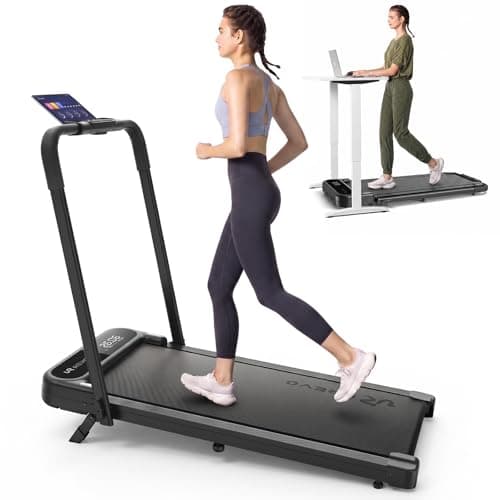
The UREVO Strol 2E Pro is a 2-in-1 folding walking pad with a 12% manual incline (set with flip-down front legs), a 300 lb user limit, and a 0.6 to 6.2 mph range: walking mode with the handlebar down, jogging with it up. Handlebar down it measures 44.9 by 21.9 by 4.2 inches and weighs 44 lb, so it slides under most standing desks and under a sofa on its transport wheels. The running surface is 36.2 by 15.2 inches. The app syncs with Apple Health and Google Fit and can auto-adjust speed to your pace. Amazon owners rate it 4.0 out of 5 across 2,170 ratings as of September 2026, with motor longevity under running use the recurring complaint.
Best for: Home-office walkers who want incline, a 300 lb capacity and the option to jog, from one pad near $200.
- Only pad near $200 that combines a 12% incline, a 300 lb listed user limit and a 6.2 mph top speed
- 4.2 inches tall with the handlebar down and 44 lb with transport wheels, so it fits under most standing desks and rolls under a sofa
- 4.0-star Amazon average across 2,170 ratings, with motor longevity under running use the recurring complaint
- Speed range
- Product page says 1 – 4 mph; WalkingPad's A1 Pro vs C2 comparison says 3.7 mph max
- Motor
- 3 HP brushless per WalkingPad; the Amazon listing says 2.0 HP
- Weight capacity
- 220 lbs
- Belt size
- 47.2" x 15.75"
- Machine weight
- 55 lbs
- Folded dimensions
- 32.5" x 20.4" x 5.4"
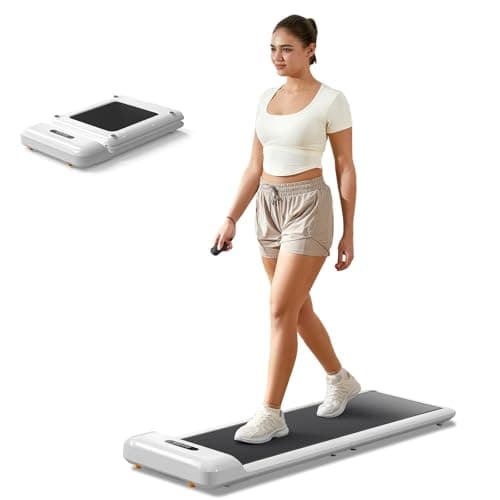
The C2 folds 180 degrees down the middle to a 33-inch length and 5-inch height, making it the only widely-available walking pad that fits a standard closet or car trunk. At 55 lbs with built-in transport wheels, it is genuinely portable, and the KS Fit app adds step goals and remote speed control.
Best for: Small-space and apartment users who need a walking pad that genuinely disappears into a closet or under a sofa when not in use.
- Folds to 33 inches long and 5 inches tall, the only compact walker that fits a standard closet or apartment storage
- 55 lbs with transport wheels: easy to move between rooms or take to a second location
- 220 lb weight limit is the lowest in this comparison, and owners near that limit report reduced belt stability
- Speed range
- 0.6 – 4.0 mph
- Motor
- 2.5 HP brushless
- Weight capacity
- 265 lb (Amazon listing for ASIN B097BKS6Z9, checked 2026-09-25)
- Belt size
- 35.43" x 15"
- Machine weight
- About 40 lb (39.7 lb per the Amazon listing); 4.1" slim profile
- Shock absorption
- Double shock-absorbing belt system
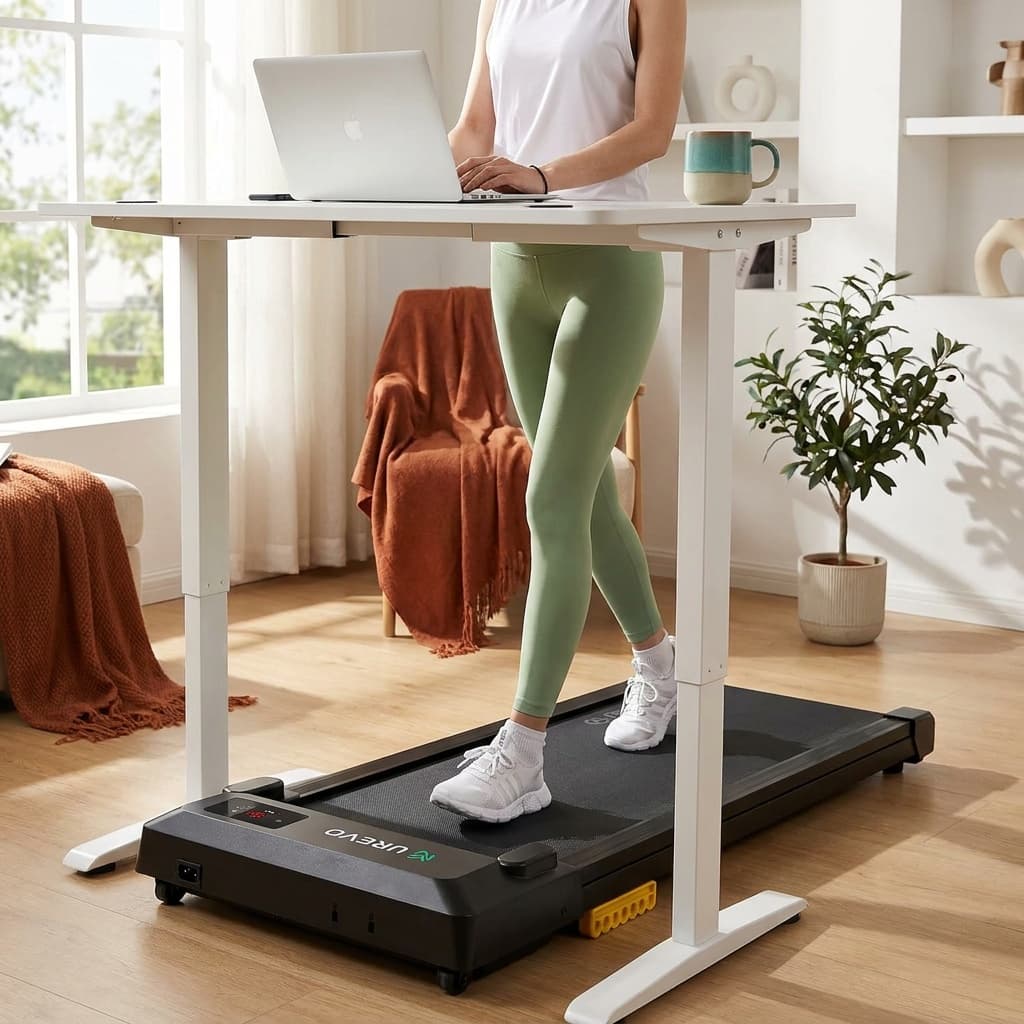
The UREVO Smart Walking Pad packs a 2.5 HP quiet motor, double shock-absorbing belt, and Bluetooth app control into one of the more affordable under-desk options. At a 265 lb capacity (per the current Amazon listing) and a 35.43-inch belt, it covers most users and supports remote or app speed control without the premium price of branded alternatives.
Best for: Work-from-home walkers who want reliable daily-use performance and app tracking without paying a premium brand markup.
- 2.5 HP motor and multi-layer shock absorption at a budget price point
- App-connected with MIIT workout modes and step tracking, remote included
- 35.43-inch belt length is shorter than the WalkingPad options, which may feel limiting for taller users above 6 feet
See all picks in Best walking pads 2026: budget, incline, and heavy-duty picks
Keep going
Free toolWalking Pad Fit CheckerWhich walking pad fits your height, weight, desk, and floor space.Related guides
 Complete fitness loadoutWeighted-vest starter kitBuild the complete kit
Researched, not hands-on tested
Updated Sep 25, 2026Our recommendations draw on manufacturer documentation, retailer listings, owner feedback, and comparisons with alternatives.
As an Amazon Associate I earn from qualifying purchases. We may earn a commission from links here, at no extra cost to you. How we research →