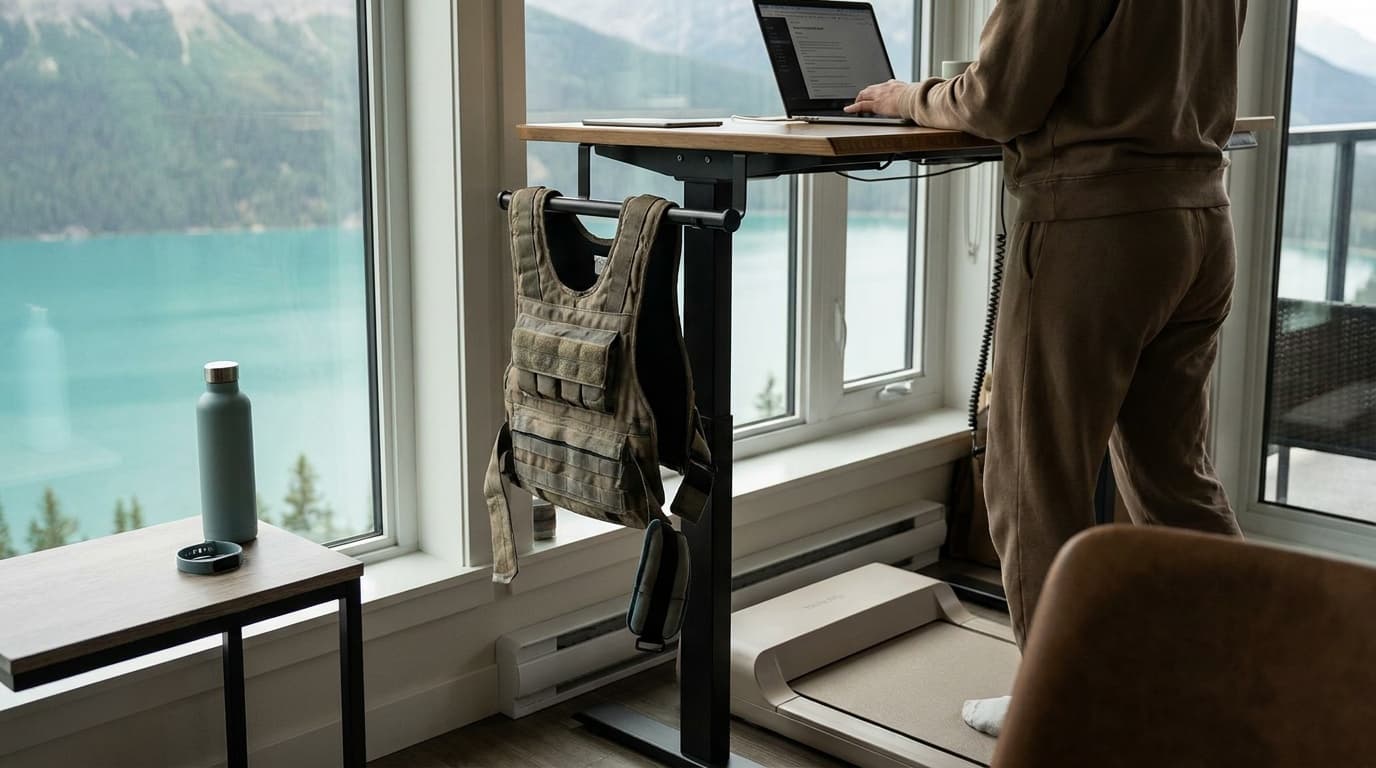
A walking pad turns otherwise sedentary desk hours into low-intensity movement, and the setup details determine whether it becomes a daily habit or collects dust in the corner.
Getting the desk height right
The single biggest setup mistake is using a walking pad under a sitting-height desk. When you walk, your stride raises your shoulders slightly and changes your trunk angle. A desk that fits you sitting will feel too low within five minutes of walking, pulling your neck forward and straining your traps.
You need a sit-stand desk, a riser, or a purpose-built treadmill desk. The target: standing desk height should put your elbows at 90–100 degrees with your arms relaxed at your sides. From there, lower the surface one centimeter. That slight downward slope of the forearm while walking is comfortable for hours; a perfectly horizontal or upward-angled forearm is not.
Monitor height follows the same rule as a standing desk: top of the screen at or just below eye level so your chin stays level, not tucked or craned.
Speed: why slower is not a compromise
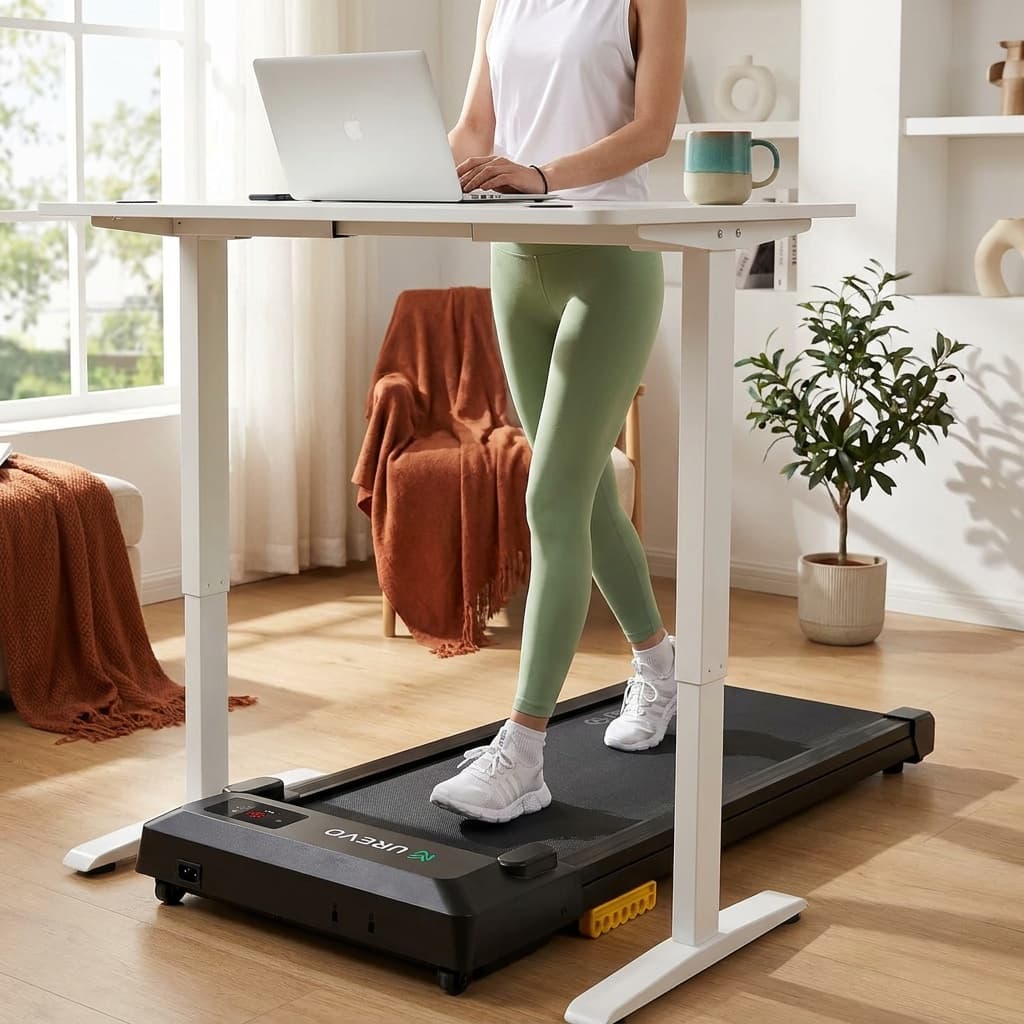
Most walking pads, like the UREVO Strol 2E Pro, top out at 4–6 mph, but that range is largely irrelevant for desk work. Research on cognitive performance and walking consistently shows that typing accuracy and reading comprehension hold up at low speeds (1.0–2.0 mph) and degrade noticeably above that threshold, particularly for tasks requiring precise motor control.
1.0 mph is a genuinely useful starting point. It feels absurdly slow at first, almost like shuffling, but it keeps your torso stable and your arms quiet. Once that feels automatic, typically after a week or two, step up to 1.5 mph for email and meeting notes. Reserve 2.0 mph for calls, video watching, or any task that is mostly listening.
Speed is the wrong goal; the goal is hours on your feet, and 1.5 mph for two hours beats 3.0 mph for twenty minutes every time.
Building duration without burning out
The most common mistake is going too long on day one. Your feet, calves, and stabilizing muscles are not conditioned for two hours of slow walking on a belt, even if you run or lift regularly. The movement pattern and surface are different enough to produce real soreness.
Four-week ramp protocol
Week 1
Two 20-minute walking blocks per day; sit for everything else.
Week 2
Three 20-minute blocks; note which tasks feel natural at pace.
Week 3
Extend comfortable blocks to 30–40 minutes; still sit for deep-focus writing.
Week 4
Aim for 60–90 total walking minutes per day, distributed across 2–4 blocks.
Beyond
Add time only when the previous total feels effortless for three days running.
Step counts are a useful proxy. A realistic goal for a full work day with a walking pad is 6,000–10,000 steps from pad time alone, on top of whatever you accumulate elsewhere. That is achievable at 1.5 mph over 90 minutes without any heroics.
Posture, footwear, and fatigue
Walking pads such as the WalkingPad C2 run on a hard, moving belt with almost no give. Standard office barefoot or sock-footed use causes arch and heel fatigue quickly. Wear shoes with a firm, relatively flat sole and decent arch support. Cushioned running shoes with a high heel-to-toe drop can actually feel awkward on a slow belt because they promote heel-striking in a way that magnifies impact. A training shoe or a low-drop daily trainer tends to work better.
Posture cues to check every 20 minutes: chin level (not forward), shoulders down and back, core lightly engaged, not gripping the handrail. Gripping a rail for balance is a sign the speed is too high or the surface is too unfamiliar; use the rail for the first few days, then wean off it.
Scheduling walking vs. focused sitting blocks
Not all work is equal on a treadmill. Categorize your tasks before you schedule blocks.
Walking-friendly tasks: email triage, Slack responses, one-on-one calls (audio only), slide review, reading long documents, attending recorded lectures or training videos.
Sit-down tasks: original writing (articles, proposals), complex spreadsheet work, debugging code, video calls where your camera is on and stability matters, any task requiring sub-second reaction time in an interface.
A practical weekly structure: walk the first 30 minutes of the morning to clear communications, sit for your first deep-work block (90 minutes is a common effective window), walk again through the post-lunch energy dip (1:00–2:30 pm is a natural slot), then sit for the afternoon focus block. That pattern gets you 60–90 minutes of walking without fighting your concentration.
Cable management is worth a few minutes of attention before you start: route your laptop charger and any peripherals so they have enough slack to stay clear of the belt and do not pull across your walking path. A caught cable mid-stride is a real safety hazard. When the belt starts to squeak, slip, or drift, our walking pad troubleshooting guide has the fixes from the makers' manuals. For dedicated sessions outside work hours, the walking pad workouts guide covers brisk intervals and incline routines at faster speeds than desk walking.
Frequently asked questions
Can I use a walking pad with a regular sitting desk?
You can, but you will likely develop neck and shoulder strain quickly. A sitting desk positions the surface 8–10 inches lower than where you need it while walking. If a sit-stand desk is not an option, a monitor arm and a keyboard riser can approximate the correct angles, but the geometry is harder to get right and rarely holds up over a full session.
How long does it take to type normally while walking?
Most people reach comfortable typing accuracy at 1.0–1.5 mph within two to three weeks of daily practice. The adjustment is mostly neurological: your body learns to stabilize your arms independently of your walking stride. Pushing the speed up before that pattern is automatic is the main reason people give up on walking pads.
Is walking while working actually good for you?
Low-intensity walking breaks prolonged sitting, which is well-documented as a metabolic and cardiovascular risk factor. At 1–2 mph you are not training aerobic fitness in any meaningful way, but you are reducing sedentary time, lightly elevating heart rate, and accumulating steps. Those are real, modest benefits. Frame it as reducing the harm of sitting rather than as a workout, and the expectations stay honest.
For specific picks, see our guide to the best walking pads. Browse all fitness guides or read how we research and rate gear.
Recommended gear
Our current top picks from the Best walking pads 2026: budget, incline, and heavy-duty picks guide, if you are ready to buy.
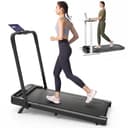
Best for: Desk walkers who also want manual incline and a raised-handlebar speed mode.
- URTM059 manual specifies a 265 lb / 120 kg maximum.
- The manual's 265 lb maximum differs from the 300 lb figure on UREVO's product page.
- Speed range
- 0.6–6.2 mph (walking mode 0.6–4 mph)
- Max incline
- 12% (manual, flip-down front legs)
- Weight capacity
- 265 lb / 120 kg maximum per URTM059 manual; UREVO product page says 300 lb
- Running surface
- 36.2" x 15.2"
- Handlebar-down dimensions
- 44.9" L x 21.9" W x 4.2" H
- Unit weight
- 43.4 to 43.6 lb per UREVO; 44 lb per the linked Amazon listing
About this pick
The UREVO Strol 2E Pro listing is crosswalked to model URTM059. Its manual sets a 265 lb / 120 kg maximum, while UREVO's product page lists 300 lb; use the manual limit. UREVO lists a 12% incline and the manual describes a support-leg setup. Walking mode is listed to 4 mph with the handlebar down and up to 6.2 mph with it raised. The linked listing gives handlebar-down dimensions of 44.9 x 21.9 x 4.2 inches; the belt is listed at 36.2 x 15.2 inches.
More specifications
- Motor
- 2.25 HP
Strengths
- URTM059 manual specifies a 265 lb / 120 kg maximum.
- UREVO lists a 12% incline and separate handlebar-down walking and handlebar-up speed modes.
- The linked listing provides handlebar-down dimensions for clearance checks.
Weaknesses
- The manual's 265 lb maximum differs from the 300 lb figure on UREVO's product page.
- The manual describes a manual support-leg incline setup; no noise figure is established here.
Best for: People seeking listed flat-walking, remote and app features for desk use.
- The exact listing identifies model URTM025 / part URTM057 and gives a 42 x 19 inch footprint.
- The exact listing's 265 lb capacity has not been verified against a manual.
- Speed range
- 0.6 – 4.0 mph
- Motor
- 2.5 HP
- Weight capacity
- 265 lb per exact-ASIN listing; operating limit not confirmed from a reviewed manual
- Belt size
- 35.43" x 15"
- Machine weight
- 39.68 lb per exact-ASIN listing
- Footprint
- 42 x 19 x 4 in per exact-ASIN item dimensions; listing copy separately claims 4.1-inch profile
About this pick
The linked Amazon listing identifies this Smart Walking Pad as UREVO model URTM025 / part URTM057. Listing dimensions are 42 x 19 x 4 inches, while separate listing copy calls the profile 4.1 inches; use 4.1 inches for preliminary clearance planning. The listing specifies a 35.43 x 15 inch belt, up to 4 mph, remote/app features and a 265 lb capacity claim. That capacity has not been confirmed against a reviewed manual. The listing does not establish upright-storage permission.
Strengths
- The exact listing identifies model URTM025 / part URTM057 and gives a 42 x 19 inch footprint.
- Remote and app features are listed for this exact item.
Weaknesses
- The exact listing's 265 lb capacity has not been verified against a manual.
- Listing dimensions state 4 inches high, while listing copy separately claims 4.1 inches.
- Upright-storage permission is unconfirmed.
GOPLUS
Goplus 2-in-1 Folding Under Desk Treadmill (SuperFit)
BEST BUDGET 2-IN-1
Kit Score 7.2/10
$113.99 Price checked Oct 23, 4:16 PM CDT
Best for: First-time buyers on a tight budget who want to walk at a desk and jog occasionally, and who accept a short warranty.
- The lowest price of any pad Kit covers, with a jogging mode to about 7.5 mph when the handrail is up
- Walking mode under a desk tops out near 2.5 mph, so brisk walks need the handrail raised
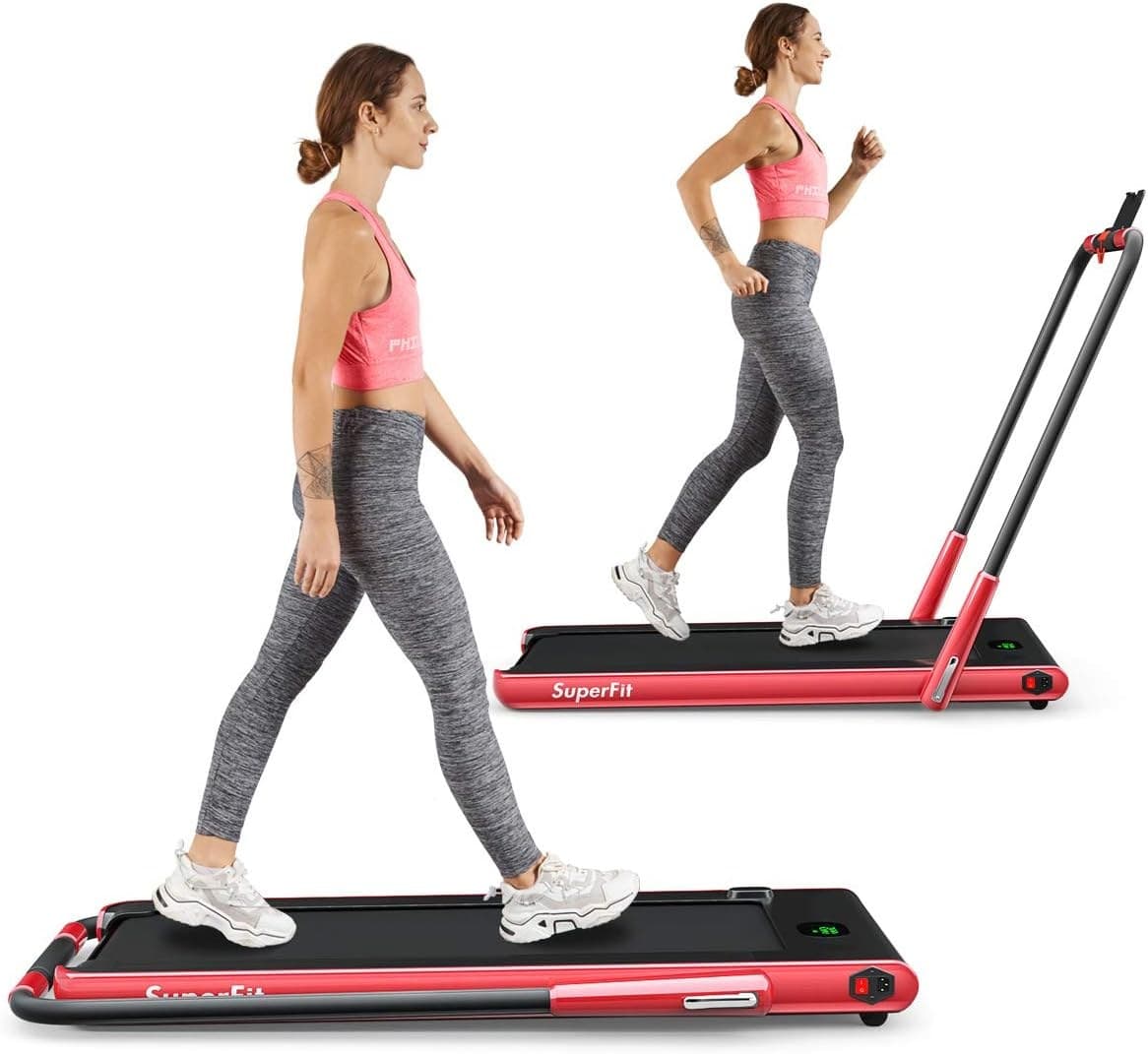
- Walking mode (handrail folded)
- 1–4 km/h (about 0.6–2.5 mph)
- Running mode (handrail up)
- 1–12 km/h (about 0.6–7.5 mph)
- Running area
- 40" x 16"
- Weight capacity
- 265 lb
- Folded size
- 52" x 27" x 5"
- Unit weight
- 69.5 lb
About this pick
The Goplus 2-in-1 (sold under the SuperFit name) is the budget way to get both a desk pad and an easy jogger. With the handrail folded flat it runs at 1 to 4 km/h, about 0.6 to 2.5 mph, for under-desk walking; with the handrail raised it reaches 12 km/h, about 7.5 mph. The running area is 40 by 16 inches, the user limit is 265 lb, and folded it measures 52 by 27 by 5 inches and weighs 69.5 lb. Every figure here is from the Amazon listing, which also states a 3-month warranty.
More specifications
- Motor
- 2.25 HP
- Warranty
- 3 months (Amazon listing)
Strengths
- The lowest price of any pad Kit covers, with a jogging mode to about 7.5 mph when the handrail is up
- 40 by 16 inch running area and a 265 lb rating, roomy for the money
- Remote, app control, Bluetooth speaker and phone holder included
Weaknesses
- Walking mode under a desk tops out near 2.5 mph, so brisk walks need the handrail raised
- 3-month warranty on the listing and mixed owner reports on noise and early failures
Kit Score breakdown
See all picks in Best walking pads 2026: budget, incline, and heavy-duty picks
Keep going
Free toolWalking Pad Fit CheckerWhich walking pad fits your height, weight, desk, and floor space.
Researched, not hands-on tested
Updated Jun 4, 2026Our recommendations draw on manufacturer documentation, retailer listings, owner feedback, and comparisons with alternatives.
As an Amazon Associate I earn from qualifying purchases. We may earn a commission from links here, at no extra cost to you. How we research →