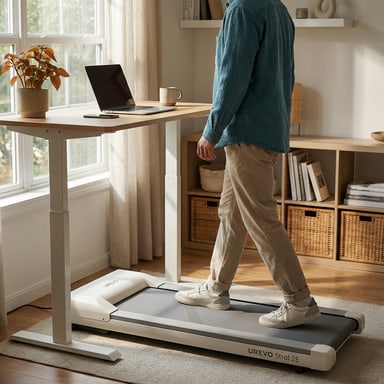
The best walking pad for an older adult is the one they can hold onto, start slowly, and stop without thinking. Only two pads we cover have a rail: the UREVO Strol 2E Pro, whose handlebar locks upright and whose remote tops out at 4.0 mph, and the Goplus 2-in-1, which adds a clip-on safety key but carries only a 3-month warranty on its Amazon listing. If your parent or grandparent is steady on their feet and does not want a rail, the WalkingPad P1 starts at 0.3 mph, the slowest belt here, and the LifeSpan TX6-GlowUp pairs a 0.4 mph start with the widest, most stable deck we cover and a 400 lb rating. Every number below comes from the maker's page, the user manual, or the Amazon listing, and we say which. We did not walk on these pads ourselves.
Our quick picks
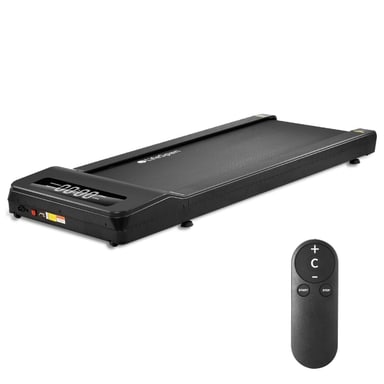
What makes a walking pad safe for an older adult
A walking pad is a low motorized belt with no console tower and, on most models, nothing to hold. That is fine for a 35-year-old at a standing desk. For a 72-year-old it changes the shopping list. The CDC reports that more than one in four adults 65 and older falls each year, and that fear of falling can lead people to cut back on everyday activities and become weaker as a result. The same agency's fall-prevention advice is to do exercises that make your legs stronger and improve your balance, and its activity guidance for adults 65 and older calls for at least 150 minutes a week of moderate activity such as brisk walking, plus muscle-strengthening on two days and activities that improve balance. A walking pad can supply the walking minutes, as long as the machine itself does not become the hazard. None of the pads here is a medical device, and none is medically recommended; if your parent has a history of falls, dizziness, or a recent surgery, the CDC's advice is to have a provider assess their fall risk first.
Five specs decide whether a pad suits an older walker. We built this guide around them.
- Something to hold. A rail turns the step on and the step off, the two moments most likely to go wrong, into a two-handed job. Only two pads we cover have one, and on both the rail has to be raised and locked before use.
- A slow start. The first speed the belt reaches matters more than the top speed. The pads here start between 0.3 and 0.6 mph; some folding pads start at 1 mph, which is a brisk shuffle for someone with a short stride.
- A low step-up. Listed deck heights here run from 4.2 to 5.8 inches (the 4.2 is Amazon data, not on UREVO's page). Lower is easier to step onto, but the taller decks are the more stable ones, so this is a trade rather than a rule.
- A way to stop fast. A clip-on safety key stops the belt the moment it pulls free. Only the Goplus has one. The other three stop from a button on the deck or the remote, so the remote needs to live in a pocket, not on a table.
- Weight headroom. Our walking pad buying guide suggests 50 lb of headroom above the walker's weight. Ratings here run from 220 lb (WalkingPad P1) to 400 lb (LifeSpan).
Simple controls and a real warranty round out the list. A remote with four or five buttons beats an app, and a pad bought for a parent should outlast its first year.
Our picks for seniors at a glance
| Pad | Rail | Start speed | Deck height | Max user | Best for |
|---|---|---|---|---|---|
| UREVO Strol 2E Pro | Yes, lockable flip-up handlebar | 0.6 mph | 4.2 in (Amazon listing) | 265 lb (user guide and listing); 300 lb (UREVO page) | A rail plus a listed 4.2 in deck |
| Goplus 2-in-1 | Yes, raised handrail with riser | 0.6 mph | 5 in folded (Amazon listing) | 265 lb (manual and listing) | A rail and a safety key on a budget |
| WalkingPad P1 | No | 0.3 mph | 5 in | 220 lb | Steady walkers under about 170 lb |
| LifeSpan TX6-GlowUp | No (aluminum side rails at the deck edge only) | 0.4 mph | 5.8 in | 400 lb | Heavier walkers and hours of daily use |
| Product | Price | Best for |
|---|---|---|
| UREVO Strol 2E Pro Walking Pad Treadmill | Check current price | Best for: Desk walkers who also want manual incline and a raised-handlebar speed mode. Why it stands out: URTM059 manual specifies a 265 lb / 120 kg maximum. Tradeoff: The manual's 265 lb maximum differs from the 300 lb figure on UREVO's product page. |
| Goplus 2-in-1 Folding Under Desk Treadmill (SuperFit) | $119.99 Price checked Oct 16, 11:54 PM CDT | Best for: First-time buyers on a tight budget who want to walk at a desk and jog occasionally, and who accept a short warranty. Why it stands out: The lowest price of any pad Kit covers, with a jogging mode to about 7.5 mph when the handrail is up Tradeoff: Walking mode under a desk tops out near 2.5 mph, so brisk walks need the handrail raised |
| WalkingPad P1 Foldable Walking Pad | $349.00 Price checked Oct 16, 11:54 PM CDT | Best for: Desk walking when the pad needs to fold away after work. Why it stands out: 16.5 inch wide by 47 inch long walking area, the roomiest belt among the folding pads Kit covers Tradeoff: 220 lb limit and a 3.75 mph ceiling, both at the low end of the pads Kit covers |
| LifeSpan TX6-GlowUp Under Desk Treadmill | Check current price | Best for: Remote workers who walk for hours every day, heavier walkers who want a 400 lb rating with a wide belt, and offices sharing one machine. Why it stands out: 20 by 48 inch belt and a 400 lb rating, far roomier than any folding walking pad Tradeoff: Costs several times as much as a consumer walking pad and is sold only direct from LifeSpan |
UREVO Strol 2E Pro Walking Pad Treadmill
- Best for
- Desk walkers who also want manual incline and a raised-handlebar speed mode.
- Why it stands out
- URTM059 manual specifies a 265 lb / 120 kg maximum.
- Tradeoff
- The manual's 265 lb maximum differs from the 300 lb figure on UREVO's product page.
Goplus 2-in-1 Folding Under Desk Treadmill (SuperFit)
- Best for
- First-time buyers on a tight budget who want to walk at a desk and jog occasionally, and who accept a short warranty.
- Why it stands out
- The lowest price of any pad Kit covers, with a jogging mode to about 7.5 mph when the handrail is up
- Tradeoff
- Walking mode under a desk tops out near 2.5 mph, so brisk walks need the handrail raised
WalkingPad P1 Foldable Walking Pad
- Best for
- Desk walking when the pad needs to fold away after work.
- Why it stands out
- 16.5 inch wide by 47 inch long walking area, the roomiest belt among the folding pads Kit covers
- Tradeoff
- 220 lb limit and a 3.75 mph ceiling, both at the low end of the pads Kit covers
LifeSpan TX6-GlowUp Under Desk Treadmill
- Best for
- Remote workers who walk for hours every day, heavier walkers who want a 400 lb rating with a wide belt, and offices sharing one machine.
- Why it stands out
- 20 by 48 inch belt and a 400 lb rating, far roomier than any folding walking pad
- Tradeoff
- Costs several times as much as a consumer walking pad and is sold only direct from LifeSpan
Best with a handrail: UREVO Strol 2E Pro
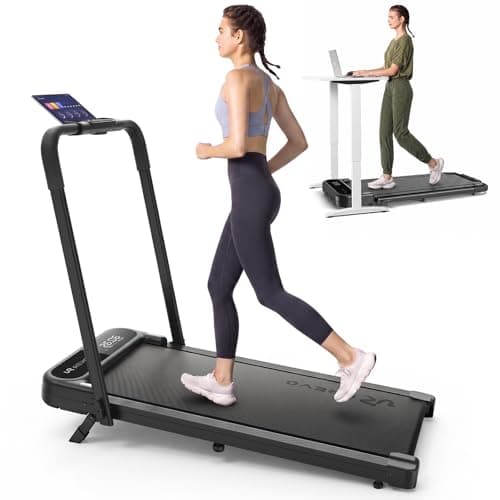
The Strol 2E Pro is the pad to buy when the first question is "what do I hold?" Its handlebar lifts from flat to upright and locks with twist knobs on each side, and UREVO's user guide is blunt about it: the handrail must be fixed securely before walking or running. With the rail up, the belt runs from 0.6 to 6.2 mph; with it folded, 0.6 to 4.0 mph. Two details in the guide matter more for an older walker than the headline specs. First, the remote can only take the belt to 4.0 mph; reaching 6.2 mph requires the plus button on the console. Hand your parent the remote and the pad is a walking machine. Second, the console has a shortcut button marked "5" that jumps the belt straight to 5 mph. Explain it once, or tape over it.
The deck stands 4.2 inches tall with the handlebar down and weighs 44 lb, per the Amazon listing data (UREVO's own page does not list deck height), which would make it the lowest step-up of the four picks, and it rolls on transport wheels and folds with one hand. Plan on the 265 lb (120 kg) limit printed in the user guide and on the Amazon listing rather than the 300 lb figure on UREVO's product page. The 12% incline is manual, set by flipping down front legs and screwing in center support feet, so leave it flat for an older walker and it stays flat. UREVO's guide lists no safety key; stopping is the STOP button on the console or the pause button on the remote. It also warns that the pad is not intended for people with reduced physical, sensory, or mental capabilities unless they are supervised, which is sensible advice for anyone's first few sessions on a narrow belt.
UREVO's user guide gives a 12-month warranty, and UREVO's product page adds 180 days when the app is activated. The full UREVO Strol 2E Pro review covers desk fit, storage, and how the 2E Pro differs from the 2E and 2S Pro.
BEST WITH A HANDRAIL
UREVO Strol 2E Pro Walking Pad Treadmill
Best for: Desk walkers who also want manual incline and a raised-handlebar speed mode.
- URTM059 manual specifies a 265 lb / 120 kg maximum.
- The manual's 265 lb maximum differs from the 300 lb figure on UREVO's product page.
Check current price
Buy at UREVOProduct details
The UREVO Strol 2E Pro listing is crosswalked to model URTM059. Its manual sets a 265 lb / 120 kg maximum, while UREVO's product page lists 300 lb; use the manual limit. UREVO lists a 12% incline and the manual describes a support-leg setup. Walking mode is listed to 4 mph with the handlebar down and up to 6.2 mph with it raised. The linked listing gives handlebar-down dimensions of 44.9 x 21.9 x 4.2 inches; the belt is listed at 36.2 x 15.2 inches.
- Speed range
- 0.6–6.2 mph (walking mode 0.6–4 mph)
- Max incline
- 12% (manual, flip-down front legs)
- Weight capacity
- 265 lb / 120 kg maximum per URTM059 manual; UREVO product page says 300 lb
- Running surface
- 36.2" x 15.2"
- Handlebar-down dimensions
- 44.9" L x 21.9" W x 4.2" H
- Unit weight
- 43.4 to 43.6 lb per UREVO; 44 lb per the linked Amazon listing
- Motor
- 2.25 HP
More strengths
- UREVO lists a 12% incline and separate handlebar-down walking and handlebar-up speed modes.
- The linked listing provides handlebar-down dimensions for clearance checks.
Other tradeoffs
- The manual describes a manual support-leg incline setup; no noise figure is established here.
Budget handrail option: Goplus 2-in-1 (and its 3-month warranty caveat)
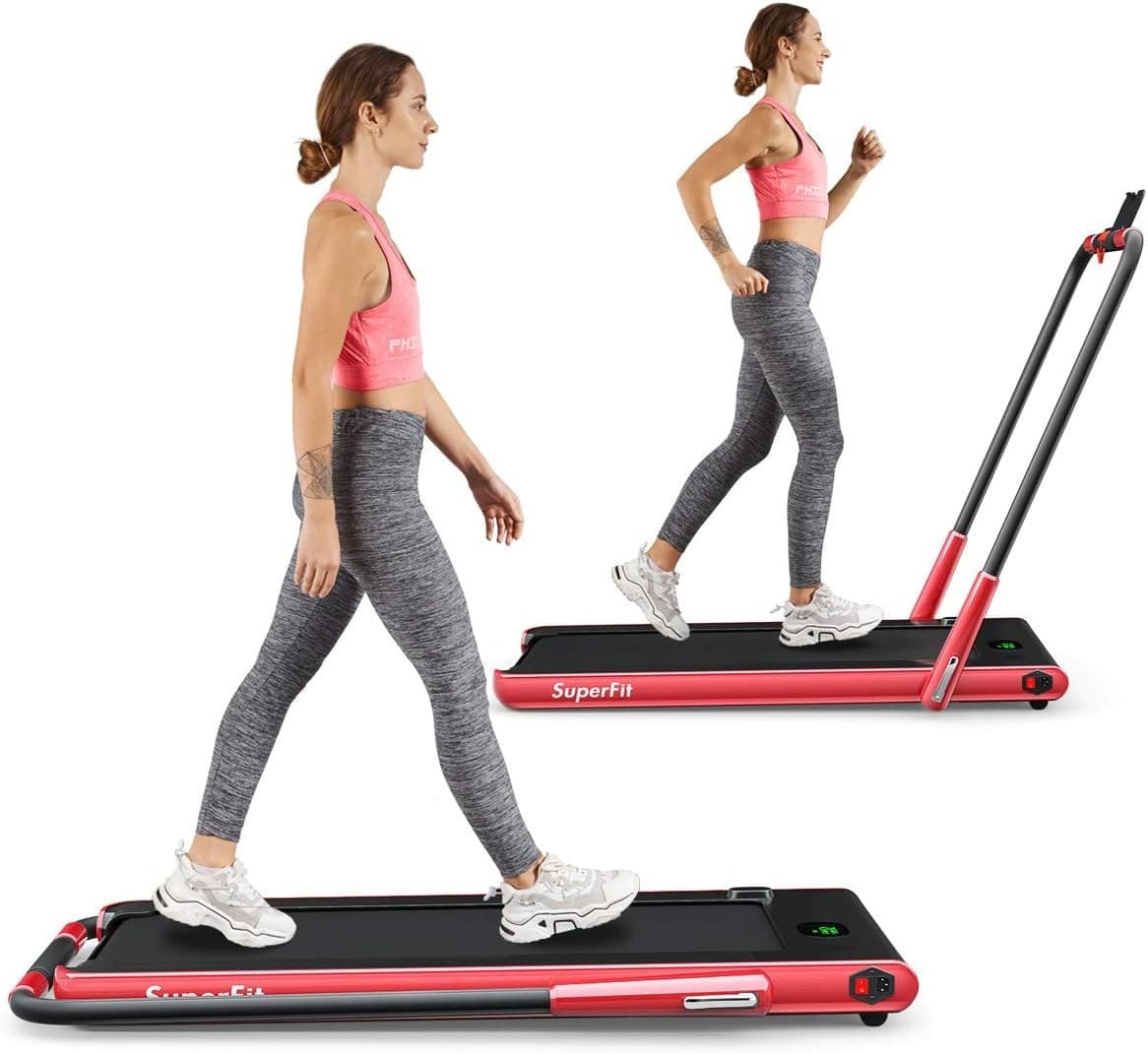
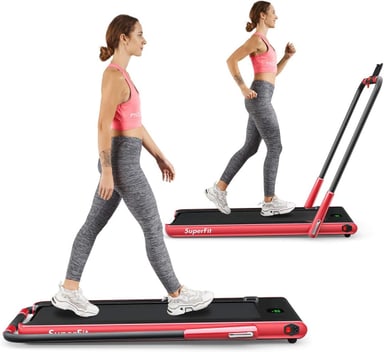
The Goplus 2-in-1, sold under the SuperFit name, is the cheapest pad we cover and the only one with a clip-on safety key. Its manual describes the routine we would want any older walker to follow: stand on the side strips, not the belt, hold the handlebar with one hand and press start with the other, wait through a three-second countdown, and let the belt begin at 0.6 mph before stepping on. The safety key clips to clothing; pull it free and the belt stops immediately, the display shows E07, and the pad will not restart until the key is back in place.
The catch is which mode you use. With the riser folded flat, the Goplus is an under-desk pad with no handlebar at all, running 0.6 to 3.0 mph per the manual (the Amazon listing says 1 to 4 km/h, about 0.6 to 2.5 mph). The rail only exists in running mode, with the riser raised, where the belt runs 0.6 to 7.5 mph. For a senior, that means buying it for rail-up use and treating the top speed as something to stay well away from; unlike the Strol's remote, nothing caps the Goplus remote below a jog. The running area is 40 by 16 inches, the limit is 265 lb, and the folded size is 52 by 27 by 5 inches at 69.5 lb on the listing (74 lb in the manual), so it is the heaviest pad here to move.
Then the warranty. The Amazon listing states 3 months, against 12 months from UREVO and WalkingPad and 10 years on the LifeSpan frame. Buy it when the rail and the safety key matter and the budget is tight; buy the Strol 2E Pro when you want the pad to last.
BUDGET HANDRAIL OPTION
Goplus 2-in-1 Folding Under Desk Treadmill (SuperFit)
Best for: First-time buyers on a tight budget who want to walk at a desk and jog occasionally, and who accept a short warranty.
- The lowest price of any pad Kit covers, with a jogging mode to about 7.5 mph when the handrail is up
- Walking mode under a desk tops out near 2.5 mph, so brisk walks need the handrail raised
Kit Score 7.2/10 · $119.99 Price checked Oct 16, 11:54 PM CDT · how we score gear
Buy on AmazonProduct details
The Goplus 2-in-1 (sold under the SuperFit name) is the budget way to get both a desk pad and an easy jogger. With the handrail folded flat it runs at 1 to 4 km/h, about 0.6 to 2.5 mph, for under-desk walking; with the handrail raised it reaches 12 km/h, about 7.5 mph. The running area is 40 by 16 inches, the user limit is 265 lb, and folded it measures 52 by 27 by 5 inches and weighs 69.5 lb. Every figure here is from the Amazon listing, which also states a 3-month warranty.
- Walking mode (handrail folded)
- 1–4 km/h (about 0.6–2.5 mph)
- Running mode (handrail up)
- 1–12 km/h (about 0.6–7.5 mph)
- Running area
- 40" x 16"
- Weight capacity
- 265 lb
- Folded size
- 52" x 27" x 5"
- Unit weight
- 69.5 lb
- Motor
- 2.25 HP
- Warranty
- 3 months (Amazon listing)
More strengths
- 40 by 16 inch running area and a 265 lb rating, roomy for the money
- Remote, app control, Bluetooth speaker and phone holder included
Other tradeoffs
- 3-month warranty on the listing and mixed owner reports on noise and early failures
Slowest start for steady walkers: WalkingPad P1 (0.3 mph)
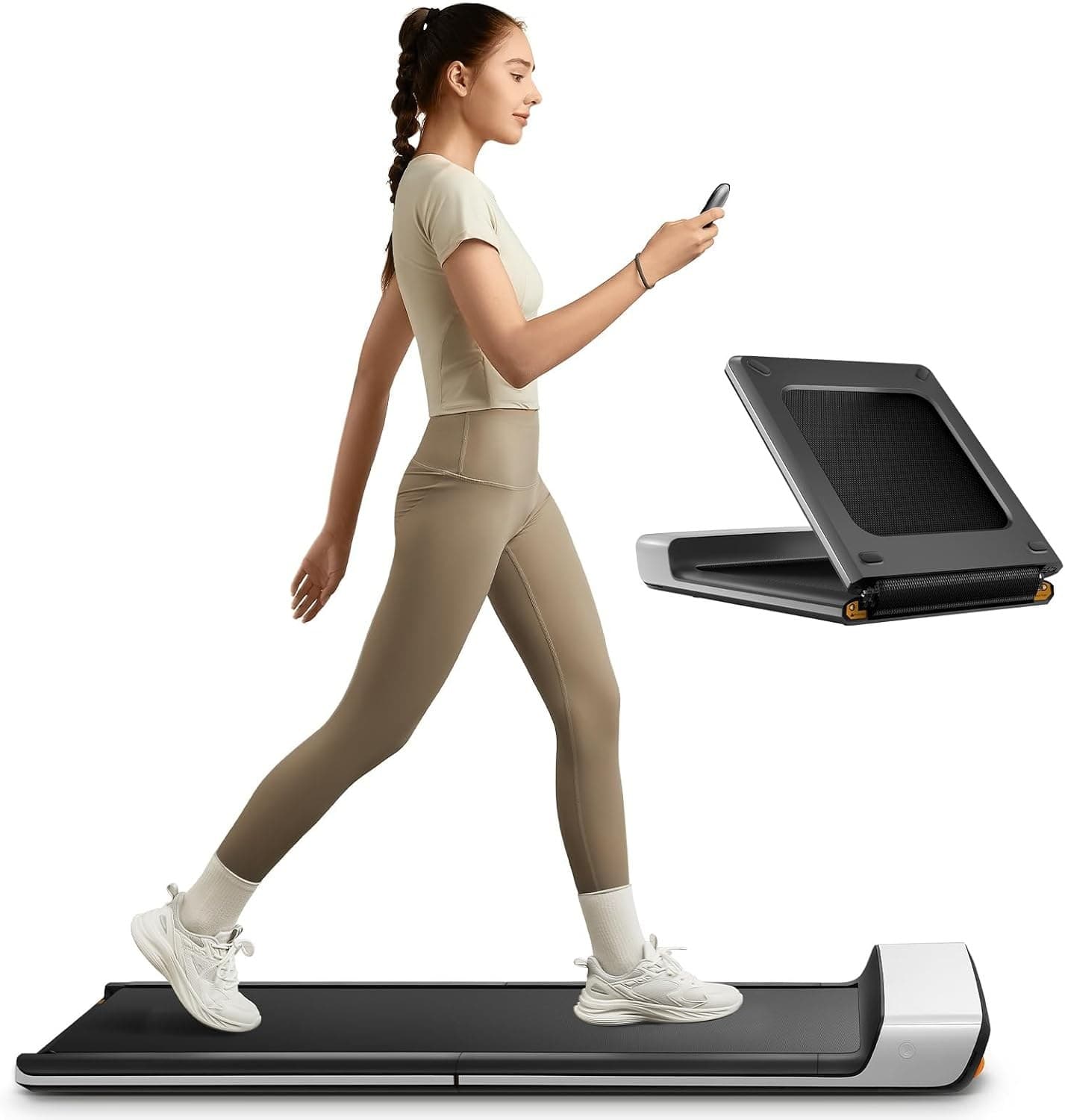
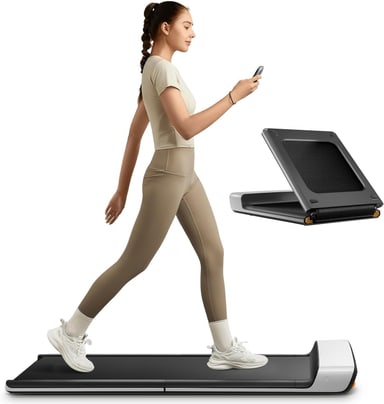
If the walker is steady on their feet and the goal is the gentlest possible start, the WalkingPad P1 begins at 0.3 mph (0.5 km/h), the slowest belt in this guide, and tops out at 3.75 mph, so there is no jogging mode to stumble into. Its 47 by 16.5 inch walking area is the widest belt among the folding pads we cover, which gives an older stride room to drift without a foot landing on the frame. The deck is 5 inches tall, and WalkingPad's listing copy makes the point itself: the low-profile deck makes stepping on and off feel secure.
Controls are the part to set up deliberately. The P1 has no screen on the deck; a handheld remote with its own display runs everything, and WalkingPad's FootSense mode changes speed based on where you stand on the belt. That is clever for a desk worker and a surprise for a 75-year-old who drifts forward, so run it from the remote and leave the automatic mode off. There is no rail and no safety key listed on the product page; the remote's pause button is the stop. The P1 is rated to 220 lb, so by the 50 lb headroom rule it suits walkers under about 170 lb. It folds in half to 32.5 by 21.5 inches and weighs 62 lb so plan for it to stay in one room.
The warranty is one year. Our WalkingPad P1 review has the motor details and owner reports.
SLOWEST START
WalkingPad P1 Foldable Walking Pad
Best for: Desk walking when the pad needs to fold away after work.
- 16.5 inch wide by 47 inch long walking area, the roomiest belt among the folding pads Kit covers
- 220 lb limit and a 3.75 mph ceiling, both at the low end of the pads Kit covers
Kit Score 7.3/10 · $349.00 Price checked Oct 16, 11:54 PM CDT · how we score gear
Buy on AmazonProduct details
The WalkingPad P1 is WalkingPad's classic fold-in-half pad, and its 47 by 16.5 inch walking area is the widest belt among the folding pads Kit covers. WalkingPad lists a 5 inch height, a 0.3 to 3.75 mph speed range, a 220 lb limit and a 62 lb weight; it folds to 32.5 by 21.5 inches. Speed runs from the remote, the app, or an automatic mode. It uses a brush motor rather than the brushless motors on the newer Z1 and C2, and it has no incline.
- Speed range
- 0.3–3.75 mph per WalkingPad; 0.5–3.75 mph per the Amazon listing
- Walking area
- 47" x 16.5"
- Weight capacity
- 220 lb
- Unfolded size
- 56.5" x 21.5" x 5"
- Folded size
- 32.5" x 21.5" x 5"
- Unit weight
- 62 lb
- Motor
- Brush motor, 746 W input per WalkingPad; 2 HP per the Amazon listing
More strengths
- Folds in half to 32.5 by 21.5 inches and stands 5 inches tall open
- Desk-speed range starting at 0.3 mph, with remote, app and automatic speed modes
Other tradeoffs
- Brush motor, and Amazon's review summary reports mixed reliability with some early failures
Most stable deck and widest belt: LifeSpan TX6-GlowUp
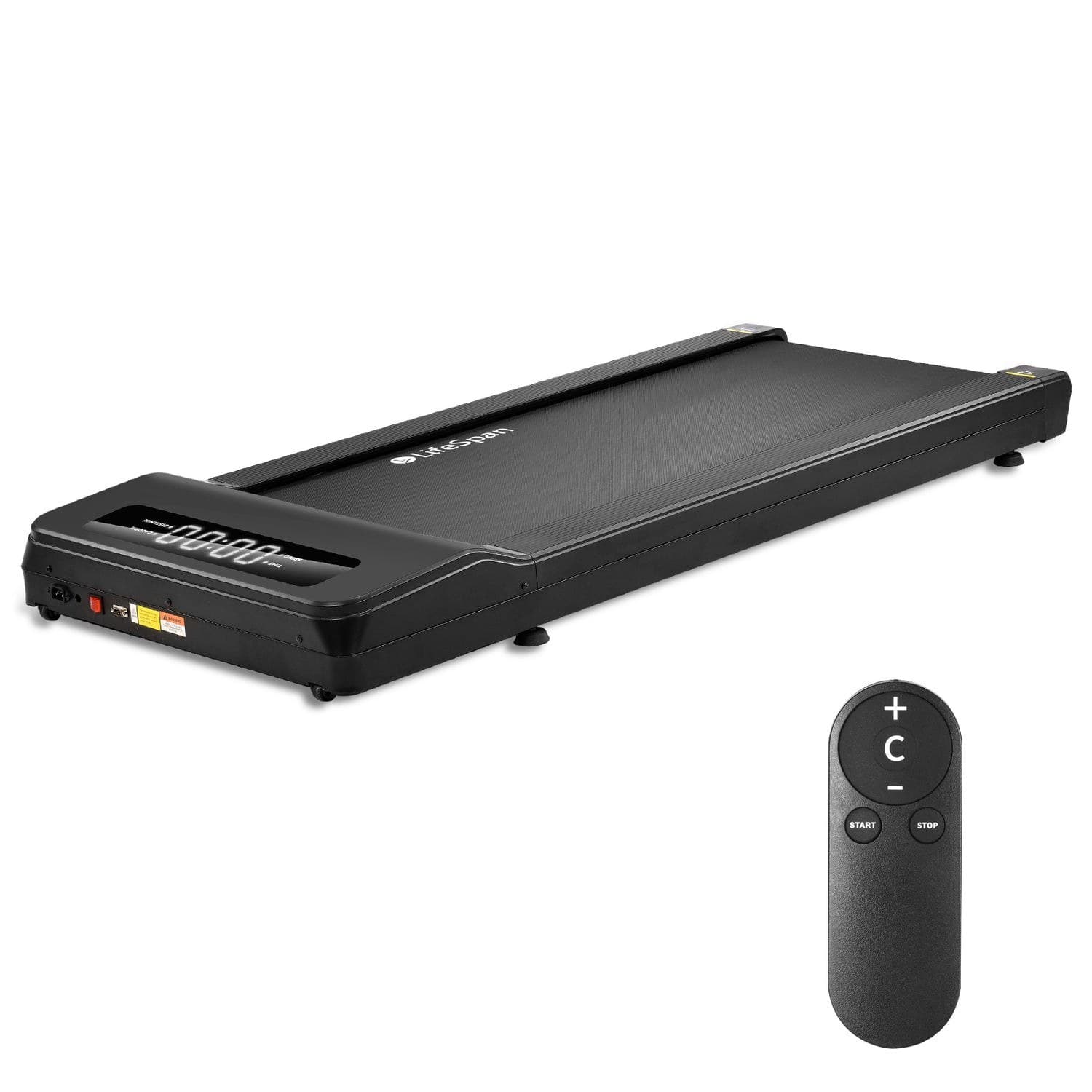
The LifeSpan TX6-GlowUp is the pad for a heavier parent, for anyone who will walk on it for hours, or for a household that wants a machine built to office standards. LifeSpan rates it for 400 lb and 7 hours of use per day, on a 20 by 48 inch belt, the widest and longest here by a wide margin, over a 0.7 inch phenolic deck with six compression shocks and aluminum side rails along the deck edge. It starts at 0.4 mph and runs to 6.0 mph from a remote, with an LED display on the deck. The belt is self-lubricating, so there is no maintenance chore to forget.
Two things to know. The step-up is 5.8 inches, the tallest of the four picks, which is the price of that deck. And the side rails are foot rails, not a handrail; there is nothing to hold, and the product page lists no safety key. LifeSpan leaves incline off on purpose, citing ergonomists, which for an older walker is a feature. At 98.5 lb and 60 by 28 inches it rolls on two front wheels but does not fold, so it needs a permanent spot. The frame carries a 10-year warranty, parts 2 years, labor 1 year. LifeSpan sells it direct. It costs several times what the other picks do, and it earns that only when the 400 lb rating, the wide belt, or daily hours of use are the reason you are buying.
MOST STABLE DECK
LifeSpan TX6-GlowUp Under Desk Treadmill
Best for: Remote workers who walk for hours every day, heavier walkers who want a 400 lb rating with a wide belt, and offices sharing one machine.
- 20 by 48 inch belt and a 400 lb rating, far roomier than any folding walking pad
- Costs several times as much as a consumer walking pad and is sold only direct from LifeSpan
Kit Score 8.1/10 · Check current price · how we score gear
Buy at LifeSpan FitnessProduct details
The LifeSpan TX6-GlowUp is an office-grade under-desk treadmill rather than a consumer walking pad. LifeSpan rates it for 7 hours of use per day and users up to 400 lb, on a 20 by 48 inch self-lubricating belt over a phenolic deck with six compression shocks, driven by a 4.5 HP peak brushless motor at 0.4 to 6.0 mph. It stands 5.8 inches tall, measures 60 by 28 inches, and weighs 98.5 lb, so it rolls on front wheels but does not fold. LifeSpan leaves out incline on purpose, citing ergonomists. The frame carries a 10-year warranty.
- Belt size
- 20" x 48"
- Speed range
- 0.4–6.0 mph
- Weight capacity
- 400 lb
- Recommended use
- 7 hours per day
- Dimensions
- 60" L x 28" W x 5.8" H (5.8" step-up)
- Unit weight
- 98.5 lb
- Motor
- 4.5 HP peak brushless
- Warranty
- Frame 10 years, parts 2 years, labor 1 year
More strengths
- Rated for 7 hours of use per day, with a self-lubricating belt and a 10-year frame warranty
- 0.4 to 6.0 mph range covers the slowest typing pace and brisk walking breaks
Other tradeoffs
- 98.5 lb, 60 by 28 inches and non-folding, with no incline and only 6 site reviews so far
Safety features compared
Every figure is from the maker's product page or manual unless marked as the Amazon listing. A dash in the safety key column means the maker's page and manual we read do not list one, not that we confirmed its absence on the machine.
| Pad | Rail | Minimum speed | Deck height | Stop control | Safety key | Max user | Warranty |
|---|---|---|---|---|---|---|---|
| UREVO Strol 2E Pro | Lockable flip-up handlebar | 0.6 mph | 4.2 in, handlebar down (Amazon) | STOP button on console; pause on remote; remote capped at 4.0 mph | Not listed in the user guide | 265 lb (user guide, Amazon); 300 lb (UREVO page) | 12 months, plus 180 days with app activation |
| Goplus 2-in-1 | Handrail, riser raised (none in folded mode) | 0.6 mph | 5 in folded (Amazon) | Start/stop on console; remote | Yes, clip-on; stops belt immediately, shows E07 | 265 lb | 3 months (Amazon listing) |
| WalkingPad P1 | None | 0.3 mph | 5 in | Remote with display; FootSense auto mode | Not listed on product page | 220 lb | 1 year |
| LifeSpan TX6-GlowUp | None (side rails at deck edge) | 0.4 mph | 5.8 in | Remote; LED display | Not listed on product page | 400 lb | Frame 10 years, parts 2, labor 1 |
Pads to be careful with
Three kinds of pad in our full walking pad guide suit younger buyers and work against an older one.
- A fixed incline. The Egofit Walker Pro M1 is built with a 5% grade you cannot flatten, on a 6.89 inch deck rated to 220 lb. Walking uphill on a narrow belt with nothing to hold is the wrong first pad for a senior, however compact it is.
- Remote-only controls. The MERACH W50 is a machine MERACH lists at 400 lb (the US manual limit is unverified, as our review notes) with a motorized 12% incline, and that incline and the speed run only from the handheld remote or the app. There are no buttons on the deck. A lost remote on a pad with no deck controls is a pad nobody can slow down, and a motorized incline is a setting a grandchild can change by accident. If the W50's capacity is the draw, read our MERACH W50 review and decide whether the household can keep the remote in one place.
- 220 lb folding pads for heavier walkers. The WalkingPad P1 and C2 are rated to 220 lb and the Z1 to 242 lb. With 50 lb of headroom, that is a 170 to 190 lb walker. A heavier parent belongs on the Strol 2E Pro (265 lb), or on the LifeSpan, or the W50 at its listed 400 lb. The C2 and Z1 also start at 1 mph rather than 0.3, which is a brisk first step for a short stride.
Two-in-one "running modes" deserve a note of their own. The Strol 2E Pro reaches 6.2 mph and the Goplus 7.5 mph with their rails up. Neither belt is long enough for running, and neither pace belongs under an older walker. Treat the rail as the reason to raise it, not the speed.
How to set up a pad for an older walker
Setting up a walking pad for a senior
Place it with room and light
UREVO's guide asks for 1.2 m (about 4 ft) of clearance side to side and 2 m (about 6.5 ft) front to back. Put the pad where a wall or a heavy, fixed piece of furniture is within reach of the free hand, never next to a rolling chair, and in a room with plenty of light, which the CDC lists among its fall-prevention basics.
Raise and lock the rail
On the Strol 2E Pro, lift the handlebar to its end position and tighten both twist knobs; on the Goplus, raise the riser and fit both handlebars. Both manuals say the rail must be secured before use. Check the knobs before every session, not just the first.
Start from the side, not the belt
The Goplus manual has the right habit for every pad: stand on the side strips, hold the rail, press start, and let the belt reach its minimum speed before stepping on. UREVO's guide warns to use extreme caution stepping on or off a moving belt, so step off only after the belt has stopped.
Keep the first week slow
Start at the minimum speed and stay between about 0.6 and 2 mph for the first five to seven sessions. Balance on a narrow belt takes a few days to settle for anyone, and more for someone whose balance is already a concern.
Put the stop within reach
Clip the Goplus safety key to clothing every time. On the other three, the remote is the stop, so it goes in a pocket or on the lanyard WalkingPad ships, not on a shelf. Show your parent the STOP button on the Strol's console, and what the "5" shortcut does.
Wear real shoes
Slippers and socks slide. A cushioned walking shoe with a grippy sole, like the picks in our [best walking shoes guide](/fitness/best-walking-shoes), is part of the safety setup.
Have someone nearby at first
UREVO's guide says the pad is not intended for people with reduced physical capabilities unless supervised. For the first few sessions, that is good advice for any older walker on any pad.
Know when to stop
UREVO's own warning is the plain version: stop if unwell and consult a doctor. The CDC also suggests asking a doctor or pharmacist whether any medicines, including over-the-counter ones, cause dizziness or drowsiness, which matters more on a moving belt than on a sidewalk.
Once the pad is a habit, the free walking plan builder turns the CDC's 150 minutes a week into a schedule, and our guide to how to start walking for fitness covers pace, posture, and progression. If your parent is also curious about adding light resistance, the sibling guide to the best weighted vests for seniors is built around the same priorities: start light, adjust in small steps, and never trade stability for load.
Where these numbers come from
| Claim | Source | Checked |
|---|---|---|
| Strol 2E Pro: 0.6 to 4.0 mph walking mode, 0.6 to 6.2 mph running mode, 12% incline, 300 lb, 2.25 HP, 36.2 x 15.2 in running surface, 43.6 lb, foldable handlebar, 1 year plus 180 days warranty, add to cart available | UREVO, Strol 2E Pro Smart Treadmill | Oct 16, 2026 |
| Strol 2E Pro user guide (model URTM059, V2.0): 265 lb / 120 kg maximum, handrail must be fixed securely before running or walking, 0.6 to 6.2 mph unfolded and 0.6 to 4 mph folded, remote limited to 4.0 mph, "5" shortcut button sets 5 mph, console buttons (minus, MODE, START/PAUSE, STOP, 5, plus), 1.2 m by 2 m clearance, supervision warning, 12-month warranty with app activation | UREVO Strol 2E Pro user guide (PDF) | Oct 16, 2026 |
| Strol 2E Pro: 44.9 x 21.9 x 4.2 in, 44 lb (the 4.2 in deck height is the Amazon-listing figure used across our UREVO pages) | Amazon listing data for ASIN B0H1H4JT4C, read through the Amazon Creators API. That Amazon page returned Page Not Found in our own Chrome check on October 15, so we send buyers to UREVO's page and treat these as listing figures, not a buyable listing | Oct 16, 2026 |
| Goplus 2-in-1 manual: 265 lb max load, 0.6 to 7.5 mph, walking mode 0.6 to 3.0 mph with riser folded and handlebars removed, 40 x 16 in running area, 2.25 HP, 74 lb, 3-second start countdown at 0.6 mph, stand on the side strips and hold the handlebar to start, safety key clipped to clothing stops the belt immediately and shows E07 | SuperFit/Goplus 2-in-1 treadmill user manual (PDF hosted on Amazon's image server and attached to the Amazon listing, ASIN B07ZRSBP5S) | Oct 16, 2026 |
| Goplus 2-in-1 listing: 1 to 12 km/h with handrail raised, 1 to 4 km/h with riser folded, 40 x 16 in, 2.25 HP, safety key, 69.5 lb, in stock | Amazon listing, ASIN B07ZRSBP5S, read through the Amazon Creators API | Oct 16, 2026 |
| Goplus 2-in-1: Amazon listing states a 3-month warranty | Amazon listing, ASIN B07ZRSBP5S (the same warranty is cited in our best walking pads guide) | Oct 3, 2026 |
| WalkingPad P1: 0.3 to 3.75 mph, 220 lb, 47 x 16.5 in walking area, 5 in deck, folded 32.5 x 21.5 x 5 in, 62 lb, remote with display and no deck screen, FootSense speed control, 1-year warranty, remote control lanyard in the box | WalkingPad, P1 Classic Foldable Walking Treadmill | Oct 16, 2026 |
| WalkingPad P1 listing: 0.5 to 3.75 mph, 16.5 in belt, 5 in height, 62 lb; Amazon showed only 1 left in stock on this check | Amazon listing, ASIN B0D2ZVB8DJ, read through the Amazon Creators API | Oct 16, 2026 |
| LifeSpan TX6-GlowUp: 0.4 to 6.0 mph, 400 lb, 20 x 48 in belt, 5.8 in step-up, 7 hours per day, 4.5 HP peak brushless, self-lubricating belt, 0.7 in phenolic deck, six compression shocks, aluminum side rails, no incline, 60 x 28 x 5.8 in, 98.5 lb, remote and LED display, frame 10 years, parts 2, labor 1, add to cart available | LifeSpan, TX6-GlowUp Under Desk Treadmill | Oct 16, 2026 |
| Egofit Walker Pro M1 (fixed 5% incline, 220 lb, 6.89 in), MERACH W50 (400 lb, 12% motorized incline, remote and app control only), WalkingPad C2 and Z1 (220 and 242 lb, 1 mph start) | Our walking pad specs dataset and MERACH W50 review, sourced from the makers' pages | Oct 3, 2026 |
| Adults 65 and older: at least 150 minutes a week of moderate activity, muscle-strengthening 2 days a week, balance activities; some activity is better than none | CDC, Older Adult Activity: An Overview | Oct 16, 2026 |
| More than one in four older adults falls each year; fear of falling may lead to less activity, which can mean weakness; one in ten falls causes an injury that limits activity | CDC, Facts About Older Adult Falls | Oct 16, 2026 |
| Fall prevention: do exercises that make your legs stronger and improve your balance, have a provider assess fall risk, ask about medicines that cause dizziness, add light, railings on both sides of stairs | CDC, Preventing Falls and Hip Fractures | Oct 16, 2026 |
| STEADI (Stopping Elderly Accidents, Deaths and Injuries): CDC initiative for providers who treat older adults at risk of falling; screen, assess, intervene | CDC, About STEADI | Oct 16, 2026 |
We did not walk on these pads. Speed, capacity, and deck figures are the makers' published ratings, and the safety key column records only what the maker's page or manual lists. Health framing follows the CDC pages above; it is not medical advice, and no pad here is medically recommended.
Frequently asked questions
What is the safest walking pad for an elderly person?
Of the pads we cover, the UREVO Strol 2E Pro comes closest: a handlebar that locks upright, a 0.6 mph start, a listed 4.2 inch deck (Amazon data), and a remote that cannot take the belt above 4.0 mph. The Goplus 2-in-1 adds a clip-on safety key that stops the belt the instant it pulls free, but its listing carries only a 3-month warranty. Neither is a medical device. If balance is already a concern, the CDC's advice is to have a provider assess fall risk before starting, and to have someone nearby for the first sessions.
Which walking pads have a handrail?
Two of the pads we cover: the UREVO Strol 2E Pro, whose handlebar flips up and locks with twist knobs, and the Goplus 2-in-1, whose handrail is fitted when the riser is raised. On both, the rail only exists in the raised mode, so the pad is used away from a desk. The WalkingPad P1, the LifeSpan TX6-GlowUp, and the rest of our best walking pads guide have nothing to hold.
What is the slowest walking pad?
The WalkingPad P1 starts at 0.3 mph (0.5 km/h) per WalkingPad's spec table, the lowest minimum here. The LifeSpan TX6-GlowUp starts at 0.4 mph, and the Strol 2E Pro and Goplus at 0.6 mph. The WalkingPad C2 and Z1 start at 1 mph, which is why they are not picks in this guide.
Do walking pads have a safety key?
Most do not. Of our four picks, only the Goplus 2-in-1 ships with a clip-on safety key; its manual says pulling it stops the belt immediately and the pad will not restart until it is refitted. The UREVO user guide and the WalkingPad and LifeSpan product pages list no key; those pads stop from a STOP or pause button on the console or the remote, so keep the remote on the walker, not on a shelf.
What walking pad should a heavier older adult buy?
Skip the 220 lb folding WalkingPads. The Strol 2E Pro is rated to 265 lb in its user guide (300 lb on UREVO's page), and the LifeSpan TX6-GlowUp and MERACH W50 are listed at 400 lb by their makers (we have not verified the W50's US manual limit). Of those two, the LifeSpan has the lower step-up and the wider belt; the W50 has a motorized incline and remote-only controls, which we would rather not hand to an older walker. Allow 50 lb of headroom above the walker's weight.
Is a walking pad or a treadmill better for seniors?
A full treadmill has long rails on both sides, a longer belt, and a bigger step-up; a walking pad is lower, lighter, and usually has no rail. If your parent needs to hold on with both hands for the whole walk, a treadmill is the better tool, and our walking pad vs treadmill comparison covers the trade-offs. If a hand on a rail at the start and finish is enough, the Strol 2E Pro or the Goplus gives that in a pad that slides under a bed.
Is a walking pad a good gift for an aging parent?
It can be, if someone will set it up and walk the first sessions with them. Pick the rail pads for anyone unsteady, keep the speed low for the first week, and put the remote on a lanyard or in a pocket. Our gifts for walkers guide covers the smaller gifts, from cushioned socks to a step tracker, that pair with a pad.
A pad an older walker can hold, start slowly, and stop without thinking is the one they will keep using. For the full field, including incline pads and office-grade machines, see our guide to the best walking pads, or browse the fitness hub for more walking and strength gear.
Keep going
Free toolWalking Pad Fit CheckerWhich walking pad fits your height, weight, desk, and floor space.Related guides
 Complete fitness loadoutWeighted-vest starter kitBuild the complete kit
Our recommendations draw on manufacturer documentation, retailer listings, owner feedback, and comparisons with alternatives.
As an Amazon Associate I earn from qualifying purchases. We may earn a commission from links here, at no extra cost to you. How we research →